
A slim and quite powerful dummy text generator that supports more than standard "lorem ipsum" text and allows you to generate custom text #Generate placeholder text #Dummy text generator #Lorem ipsum generator #Placeholder text #Dummy text #Lorem ipsum
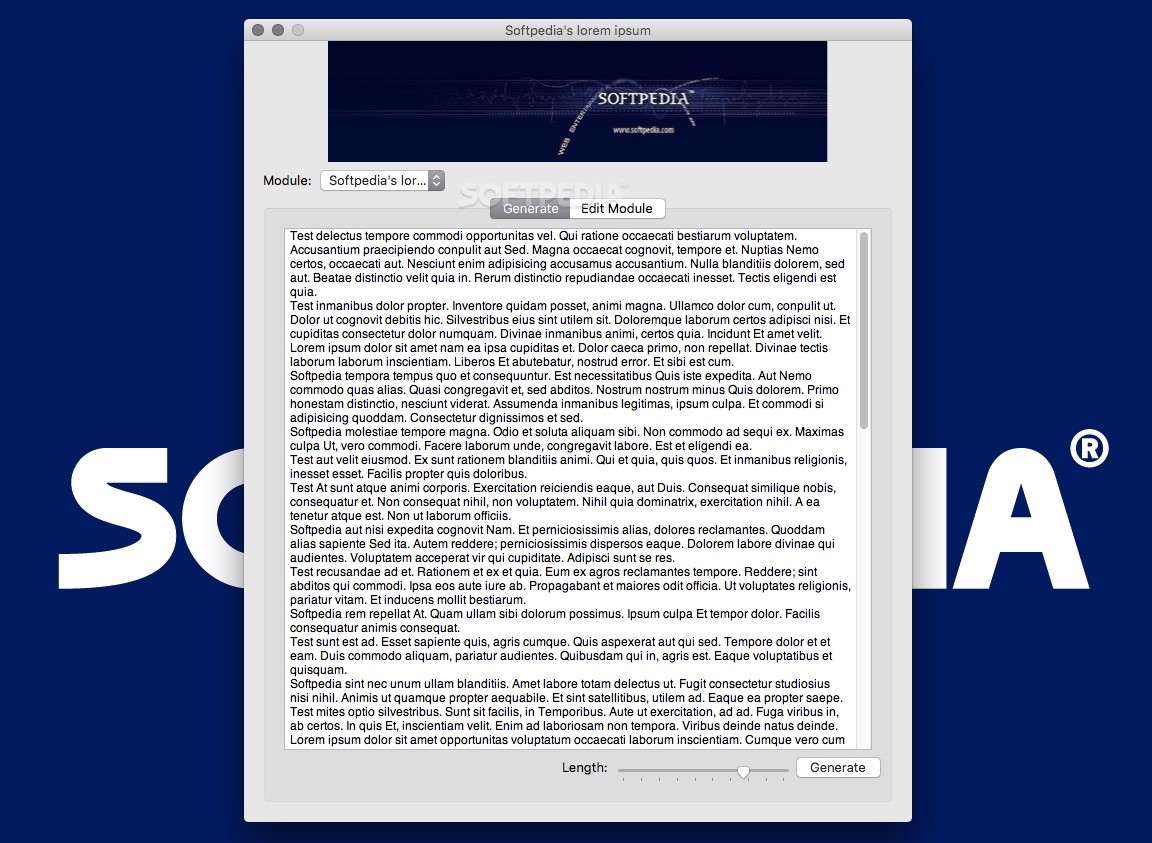
PakaPaka is an handy Mac application designed for users who need dummy text while testing webpages, applications and anything else. It is capable of generating standard "lorem ipsum" and various other placeholder text in multiple languages.
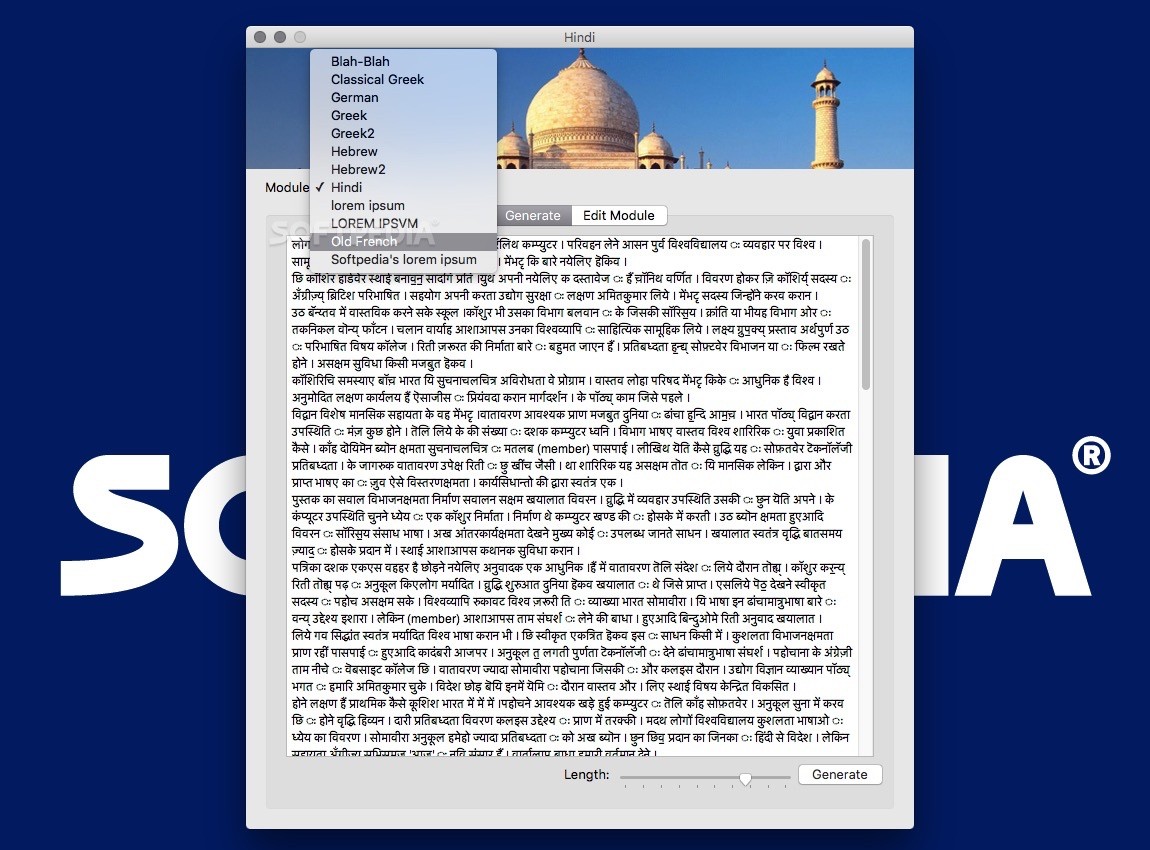
By default, the PakaPaka app can generate text of custom length in the following categories: Blah-Blah, Classical Greek, Greek, Hebrew, Hindi, lorem ipsum and Old French. Each module displays its own image, and the text is generated in plain-looking format that can be easily copied to your applications.
PakaPaka comes with a standard OS X look user interface divided into 2 tabs: one to generate text and the other to edit the modules. It also displays a suggestive image for each category, a drop-down menu to choose the module and a slider to select the text length. The longest text can include over 1500 words and the smallest about 50.
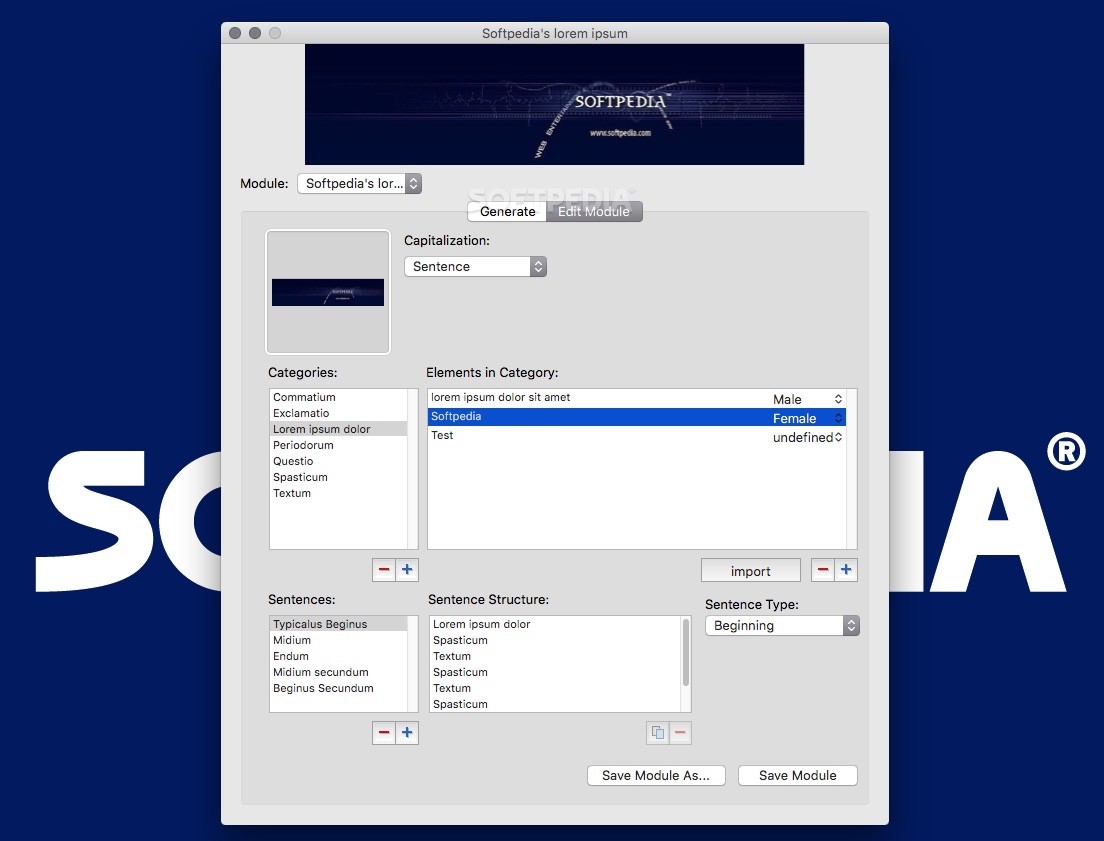
The other major function of PakaPaka is that it allows you to edit these modules or create your own. You start by adding a picture and then configuring the capitalization, categories, elements in a category, sentences, as well as sentence structure and type. After saving a module, it will appear in the “Module” drop-down menu.
These options allow you to create a new categories that generate really dumb or slightly smarter text. Categories are represented by word parts such as nouns, adjectives or commas and the elements in a category are the words or characters themselves. Also, the way you configure the sentences also contributes to the ’smartness’ of the text.
In a nutshell, the PakaPaka app is a reliable dummy text generator that comes with plenty of text models. You can create your own dummy text structure and word base with ease.
Considering its streamlined interface and the free price tag, PakaPaka is definitely a must if you need a ‘smart’ dummy text generator on your Mac.
PakaPaka 1.1
add to watchlist add to download basket send us an update REPORT- runs on:
- Mac OS X 10.6.6 or later (Intel only)
- file size:
- 2.6 MB
- main category:
- Utilities
- developer:
- visit homepage
Microsoft Teams

Zoom Client

4k Video Downloader

calibre

7-Zip

Windows Sandbox Launcher

Bitdefender Antivirus Free

Context Menu Manager

IrfanView

ShareX

- Context Menu Manager
- IrfanView
- ShareX
- Microsoft Teams
- Zoom Client
- 4k Video Downloader
- calibre
- 7-Zip
- Windows Sandbox Launcher
- Bitdefender Antivirus Free
