
A flash card utility that allows you to use longer questions.. #Flashcard test #Answer question #Display question #Flashcard #Card #Answer
Flash Cards II was developed for users who want to use longer questions and answers than those supported by Flash Cards.
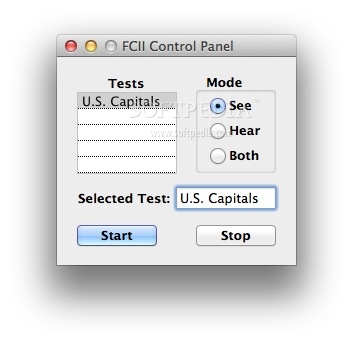
When you launch Flash Cards II you see the Control Panel. Tests are displayed in the list. A default test of U.S. Capitals is provided to help you learn how to use this program and make your own tests.
There are three modes: "See", "Hear", and "Both" ("See and Hear") the Questions and Answers. The mode you select is saved between sessions. To use the default test, click on U.S. Capitals, choose a mode and click on the "Start" button.
The Questions are scrambled each time that a test is run so that the order in which questions are asked will be unique. If you choose the "See" mode, you see a gray overlay with the first question.
If you want to see the answer to that question, press the "Cursor Right" key on the keyboard. If you want the next question, click the "Cursor Down" key. If you want the previous question, click the "Cursor Up" key.
If you are using the "Hear" mode, you can hear the current question again by clicking on the "Cursor Left" key and hear the current answer again by clicking on the "Cursor Right" key.
Click the "Stop" button to stop the test and click the "Start" button to continue the test. To retake the test, click again on the Test title in the list.
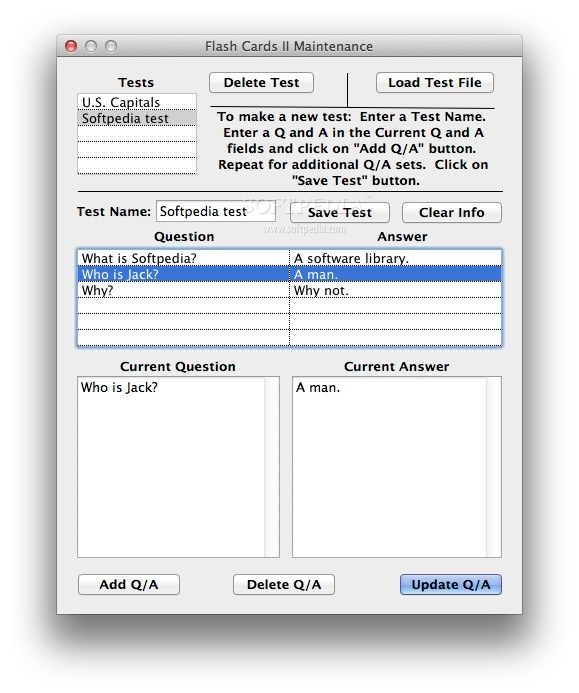
You have the possibility to make your own test by using TextEdit or the Maintenance Window. Open the Maintenance Window by clicking on the Maintenance menu item.
Limitations in the unregistered version
- Until registration, Flash Cards II can be used in Demo Mode for ten minutes after each launch, at which time the application will quit.
- Nag screen.
What's new in Flash Cards II 1.3:
- Compatible with Yosemite's default security
Flash Cards II 1.3
add to watchlist add to download basket send us an update REPORT- runs on:
- Mac OS X 10.5 or later (Intel only)
- file size:
- 2.2 MB
- filename:
- FlashCardsII.zip

- main category:
- Educational
- developer:
- visit homepage
4k Video Downloader

7-Zip

Windows Sandbox Launcher

paint.net

ShareX

Microsoft Teams

calibre

Zoom Client

IrfanView

Bitdefender Antivirus Free

- Zoom Client
- IrfanView
- Bitdefender Antivirus Free
- 4k Video Downloader
- 7-Zip
- Windows Sandbox Launcher
- paint.net
- ShareX
- Microsoft Teams
- calibre