|
| Downloads: |
15,229 |
| Developer: |
RnSK Softronics | More programs by this producer |
| License: |
Demo |
| Price: |
19.99 $ to buy  |
| OS: |
Mac OS X 10.4 or later |
| Binary format: |
Universal Binary |
| Size: |
15.66 MB |
| Download time: |
56K: 38m 10s 64K: 33m 24s 128K: 16m 42s 768K: 2m 47s |
| Last Updated: |
September 20th, 2007 17:33 |
| Category: |
MAC HD :: Drivers |
| iPSP description |
Download |
 |
|
The Sony Playstation Portable is the most advanced portable game system on the market, featuring stunning graphics, incredible sound and a sleek modern design based around a gorgeous screen... all for an amazing low price.
Additionally, the PSP has great personal multimedia features too... it can play back music and allows for video and photo viewing on its amazing screen. Sony offers optional software for managing and transferring photos, videos and music to the PSP... if you are a Windows user.
If you are a Mac user, you probably already manage your music with iTunes, organize your photos with iPhoto and have made an iMovie or two. You know the iApps, you love the OS X User experience and the intelligence and simplicity it provides.
If you have a Mac and a PSP, we've got the tool you need to bring them together...
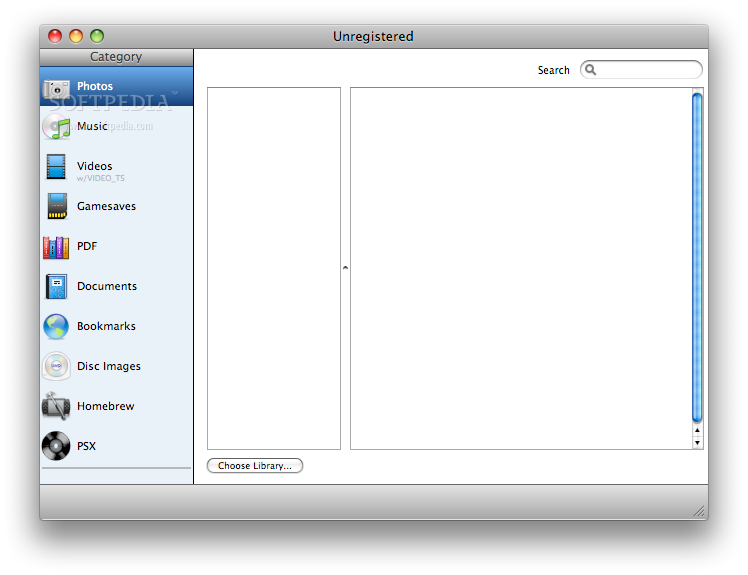
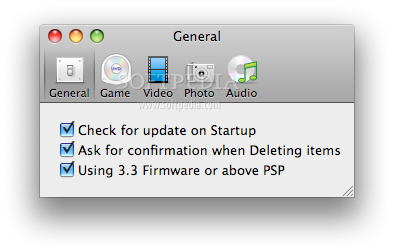
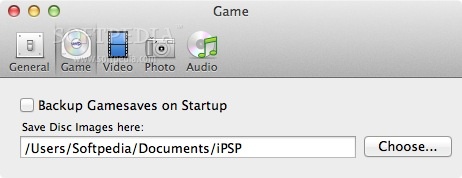
Really, really simple and easy. Unlike some other tools, iPSP was built specifically for total PSP Mulitmedia Management from the ground up. When iPSP is running, if a PSP is plugged in to your Mac, it automatically backs up your PSP Saved Game data into well organized Date Stamped folders in your Library folder. Using the Gamesaves Manager, you can browse, restore or delete saved games or transfer between PSPs.
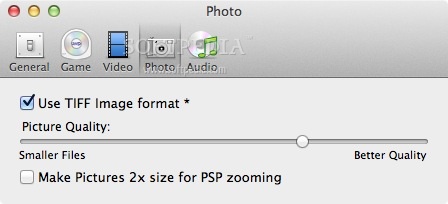
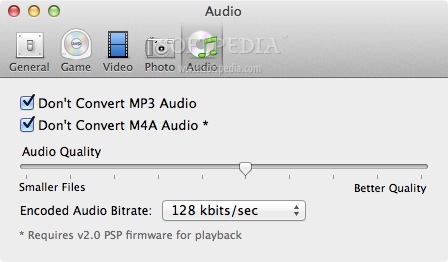
For music and photos, iPSP works with apps you already know, iTunes and iPhoto. iPSP reads your Music or Photo Library. Select any Album or playist you want and with 1 click, iPSP goes to work converting and transferring your media.
iPSP will automatically copy your selections to your PSP converting and optimizing as needed on the fly. It requires no settings or interaction from you...it Just Works. Stop struggling with counter-intuitive "me-too" apps that either put you on training wheels or require a degree to get the job done...when you're done gaming, start enjoying your PSP a little bit more with iPSP.
What about video?
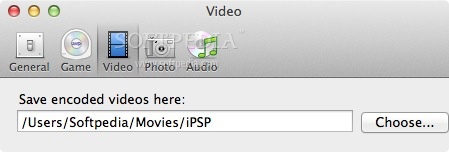
Video, unlike audio and photos can take a long time to proccess. With iPSP, you can put the video you'd like to view on your PSP into a conversion queue, specify all the options you'd like for each clip, and run them all. iPSP lets you know when they are ready to go!
iPSP can make PSP-ready .MP4 video clips from the following formats:
· MPEG files - .mpg extension
· Video for Windows files - .avi extension
· QuickTime Files - .mov extension
· Windows Media files - .wmv extension
· DVD Video Object files - .vob extension
· Digital Video files - .dv extension
· High Definition Video - .m2t extension
iPSP supports Auto Fullscreen mode for Widescreen video input, Custom titles, interactive Preview image selection, and more!
Here are some key features of "iPSP":
· Automatic Game Save Backup, Game Save Management
· iTunes Playlist integration, supports Smart Playlists, aif,wav,m4a,mp3 and AppleLossless
· iPhoto Album integration, supports Smart Albums
· iLife '05 compatable
· Multiformat queue-based video converter
· Automated "no hands" operation
· Simple options
· Requires no drivers or extensions
· Extensive html-based help
· Document Support via easy 1-click PDF Conversion.
Limitations:
· Featured-limited demo.
Requirements:
· Sony Playstation Portable
· QuickTime 7.
|
Softpedia guarantees that iPSP 3.0.3 is 100% CLEAN, which means it does not contain any form of malware, including but not limited to: spyware, viruses, trojans and backdoors.
This software product was tested thoroughly and was found absolutely clean, therefore it can be installed with no concern by any computer user.However, it should be noted that this product will be retested periodically and the award may be withdrawn, so you should check back on this page from time to time. |
|
|
| RECOMMENDED PROGRAMS IN THIS CATEGORY ( Drivers ) |
|
|
EyeTV 3.0.2 |
| EyeTV - Watch, record, timeshift, edit & archive TV on your Mac |
| n/a MB | Mac OS X 10.4 or later | Comercialware | |
|
|
|
|
|
|
|
|
|
iPSP 3.0.3 |
| iPSP - Use Sony Playstation Portable as multimedia player |
| 15.66 MB | Mac OS X 10.4 or later | Demo | |
|
|
|
USB Overdrive X 10.4.8 |
| USB Overdrive X - USB driver handles most mice, trackballs, other input devices |
| 408 KB | Mac OS X 10.2.8 or later | Shareware | |
|
|
|
SideTrack 1.6 |
| SideTrack - Replacement driver for the Apple PowerBook and iBook trackpads |
| 1.24 MB | Mac OS X 10.2 or later | Shareware | |
|
|
|
SteerMouse 3.9 |
| SteerMouse - Driver for Mighty Mouse, Tilt Wheel Mouse, Multi Button Mouse |
| 820 KB | Mac OS X 10.4.3 or later | Trial | |
|
|
|
| MOST POPULAR PROGRAMS IN THIS CATEGORY ( Drivers ) |
|
|
|
|
|
|
|
|
EyeTV 3.0.2 |
| EyeTV - Watch, record, timeshift, edit & archive TV on your Mac |
| n/a MB | Mac OS X 10.4 or later | Comercialware | |
|
|
|
Zydas WLAN USB driver 4.5.70 |
| Zydas WLAN USB driver - For usb wlan sticks based on ZD1211(b) chipset |
| 2.5 MB | Mac OS X 10.3 or later | Freeware | |
|
|
|
QuickCam Pro USB Driver 8.0.1 |
| QuickCam Pro USB Driver allows you to use your QuickCam Pro on your USB Mac |
| 1.9 MB | Mac OS X 10.1.5 to 10.2.6 | Freeware | |
|
|
|
Apple NVIDIA Driver 3.0 1.1 |
| Update for NVIDIA graphics cards. |
| 2.2 MB | Power Mac G4 with built-in NVIDIA graphics card, Mac OS 9.2.2 or later. | Freeware | |
|
|
|
|
|
|
|
|
|
 
| Welcome! |
Hello, Guest
Login if you have a Softpedia.com account.
Otherwise, register for one.
|
|