MAC CATEGORIES:


NEWS ARCHIVE >>
SOFTPEDIA REVIEWS >>

7-DAY TOP DOWNLOAD

#
Program
Vuze (formerly
Azureus) 3.1.1.0

314,176
AC3 Codec 0.4
291,092
LimeWire X 4.18.6
280,440
aMule 2.1.3
270,490
RAR Expander 0.8.5b3
268,256
Traktor DJ Studio
3.3.2

252,115
Drivers for the
Motorola L6 1.0

248,173
DVDBackup 1.3
244,094
MacFLAC 2.1.2
243,889
Toast Titanium 9.0.2
239,883

WEEK'S BEST

  • Adium 1.3
  • Gimp 2.4.7
  • FileZilla 3.1.2 RC1
  • Leopard Cache Clea...
  • RapidWeaver 4.1.1
  • Alarm Clock Pro 8....
  • Opera 9.52 Build 4...
  • LimeWire X 4.18.6
  • Fantasktik 1.0
  • Submerge 1.5.3
  • NeoOffice 2.2.4 Pa...
  • iCursor 1.4.0
  • Skim 1.1.12
  • OmniGraffle 5.1 Be...
  • Risk 1.0.9.7
  • Cyberduck 3.0.2
  • Cha-Ching 2.0 Beta 4
  • Thunderbird 3.0 Al...
  • Adobe Flash Player...
  • Intaglio 3.0.1
  • Home / Mac / Development / Editors
     Report spyware

    RText 0.9.9.5


    Downloads: 494  Add to download basket  Tell us about an update
    User Rating:
    Rated by:
    Fair (2.5/5)
    14 user(s)
    Developer:

    License / Price:

    Size / OS:

    Binary Format:

    Last Updated:

    Category:
    Robert Futrell | More programs
    GPL / FREE
    2.5 MB / Mac OS X
    Universal Binary Universal Binary
    August 19th, 2008, 08:08 GMT [view history]
    C: \ Development \ Editors

     Read user reviews (0)  Add a review  Refer to a friend  Subscribe


    RText description


    Easy to use text editor for programmers written in Java

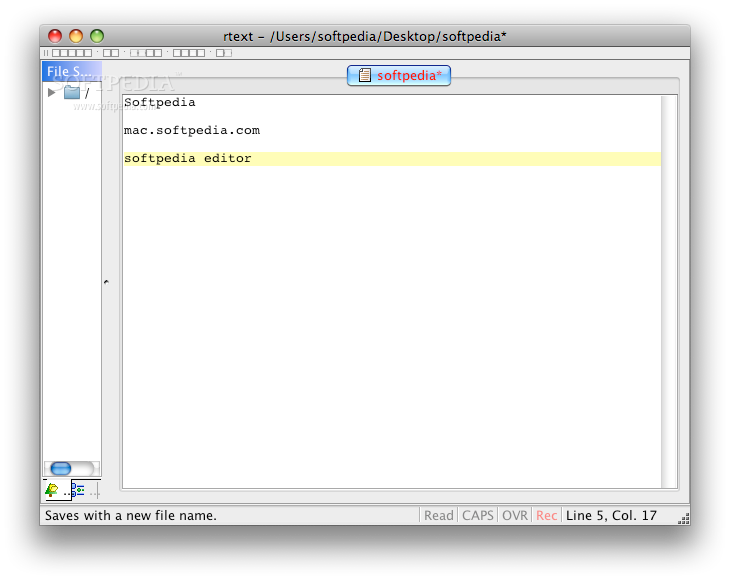
    RText is a powerful, cross-platform programmer's text editor written in Java. RText is designed to be easy to use, highly customizable and flexible.

    RText currently supports syntax highlighting for the following languages:
    ■ Assembler (X86)
    ■ C
    ■ C
    ■ C#
    ■ CSS
    ■ Fortran
    ■ HTML
    ■ Java
    ■ JavaScript
    ■ Perl
    ■ Properties Files
    ■ SAS
    ■ SQL
    ■ UNIX shell scripts
    ■ Windows batch
    ■ XML

    The goal of RText is to create a complete, fully-featured text editor (designed primarily for programmers, but can be used by anyone) that can run on any platform. Originally designed to be a Windows Notepad clone, RText has grown into much more than that.

    RText is actively being developed, with old features improved and new features constantly being added.

    Here are some key features of "RText":

    ■ Syntax Highlighting is actively being developed. Currently supported languages are Assembler, X86 assembler, C, C , C#, Fortran, Java, JavaScript, Perl, HTML, SAS, SQL, Windows batch, UNIX shell, and XML (screenshot). RText will support more languages in the not-too-distant future. RText is also capable of bracket matching, highlighting the current line, and displaying a margin line to help you with your programming.
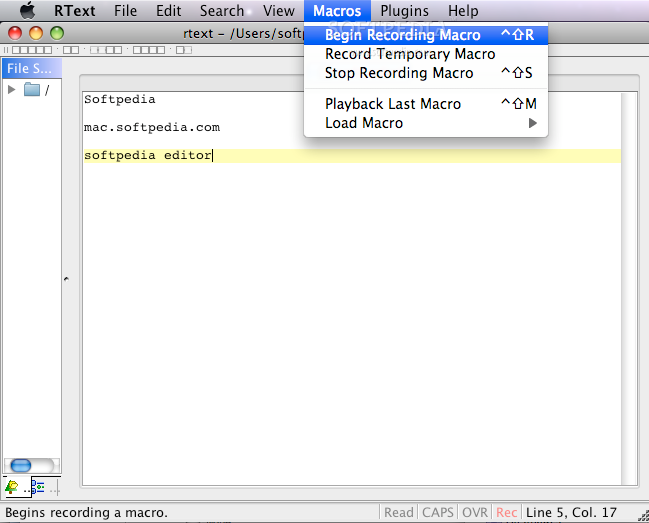
    ■ Macro support allows you to perform complex editing tasks quickly and in an automated fashion.
    ■ Drag-and-drop files from your desktop directly into RText.
    ■ Edit multiple documents simultaneously through a tabbed, list, or traditional MDI interface. No need to open multiple instances of the application to edit multiple documents.
    ■ Code Templates allow you to associate short identifiers with longer phrases/code blocks you frequently type to speed up time spent banging at the keys.
    ■ Find/Find Next/Replace/Replace Next dialogs make searching for text easy, and include such options as Match Case, Whole Word Only, Use Regular Expressions, and Mark All (screenshot).
    ■ Find in Files dialog allows you to search for a given string or regular expression in any group of files or directories on your computer (screenshot).
    ■ File encodings are supported. Open and edit files in any encoding supported by your JVM.
    ■ Unlimited Undo/Redo actions ensure you will never make a mistake you can't recover from.
    ■ Print and Print Preview functionality allow you to create hard copies of your documents with ease (screenshot).
    ■ CTags support if you have Exhuberant CTags installed in your machine (regular UNIX ctags won't cut it). With the "Source Browser" you can see a list of functions, variables, etc. in the current source, allowing you to quickly jump to a function definition, insert a method name at the caret position, and other handy stuff.
    ■ Auto-Reload. RText will sense if a document you have open in RText is modified by another program, and ask you whether you want to reload the document.
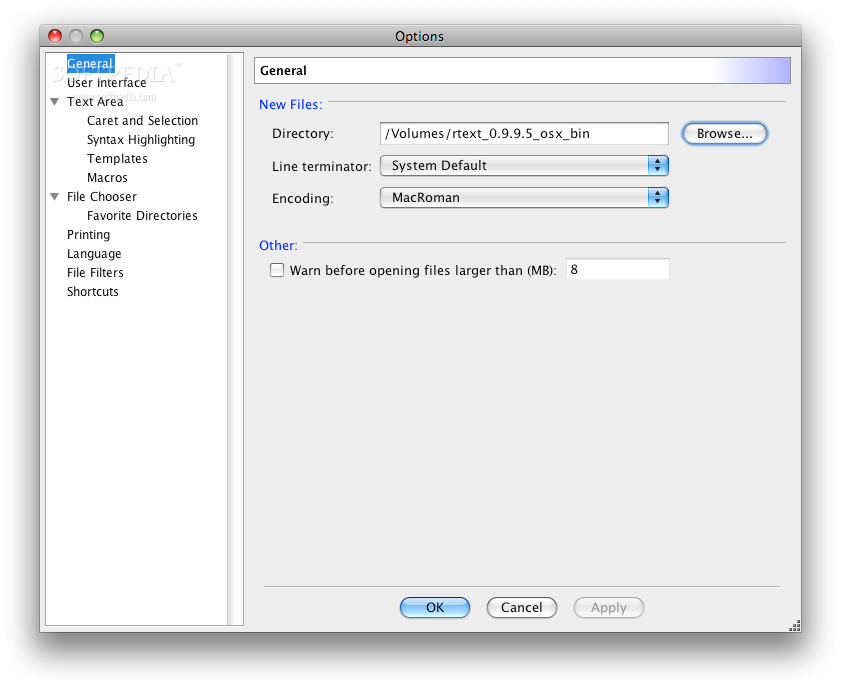
    ■ Customizable user interface allow you to have your editor look the way you want it to. Change such features as the Java Look and Feel, the view style, the icon set used in menus and on the toolbar, the font, the background (choose a color or a picture from your computer), the colors used for syntax highlighting, and more.
    ■ Help documentation similar to HTML Help found in many Microsoft Windows applications provides you with assistance if you should need it (screenshot).
    ■ Cross-platform. Since RText is written in Java, it can be run on any platform supporting version 1.4 or greater of the Java Runtime Environment.

    What's New in This Release: [ read full changelog ]

    · Added "Copy as RTF" menu item. Its shortcut is Ctrl Shift C, and can be configured from the Shortcuts panel of the Options dialog. This allows you to copy-and-paste syntax highlighted code into applications such as Outlook.
    · Updated some custom components that had problems with the upcoming Nimbus Look and Feel (actually, any LaF that didn't extend BasicLookAndFeel could have had problems).
    · Font choosers now display several common fonts known to be monospaced in bold. Not all monospaced fonts will be detected, but most of the common ones will be.
    · Removed OfficeLnFs source from the RText source distribution. The source distribution now only comes with the OfficeLnFs jar file, and its license file (that states where to find the source).
    · The OfficeLnFs jar is no longer a part of the *NIX and Mac packages. It never made sense to be in them anyway, since those LaFs aren't usable on those platforms.
    · Updated some child dialogs of the Options dialog.

      Softpedia guarantees that RText 0.9.9.5 is 100% CLEAN, which means it does not contain any form of malware, including spyware, viruses, trojans and backdoors. [read more >]


    TAGS:

    text editor | undo modification | programming language | create | edit | programmer

    Related downloads IT News Popular downloads New additions   Latest reviews  
    EsTexte 0.1
    Open source Java utility that will help you write web content
    JSVim 2.0
    Open source application representing a clone of Vim
    JNotePad 0.2
    Java text editor based on the classic NotePad
    JavaTextEditor 1.1
    Open source Java text editor for your Mac
    jadetex 3.13
    TeX macro package for processing the output from Jade/OpenJade in TeX(-t) mode


    HTML code for linking to this page:


    Go to top


    SUBMIT PROGRAM   |   ADVERTISE   |   GET HELP   |   SEND US FEEDBACK   |   RSS FEEDS   |   ENTER NEWS SITE   |   ENGLISH BOARD   |   ROMANIAN FORUM