
View and search UNIX man pages available on your Mac computer through a well organized and user friendly graphical user interface. #Manual reader #Read manual #Read man page #Reader #Viewer #Manual
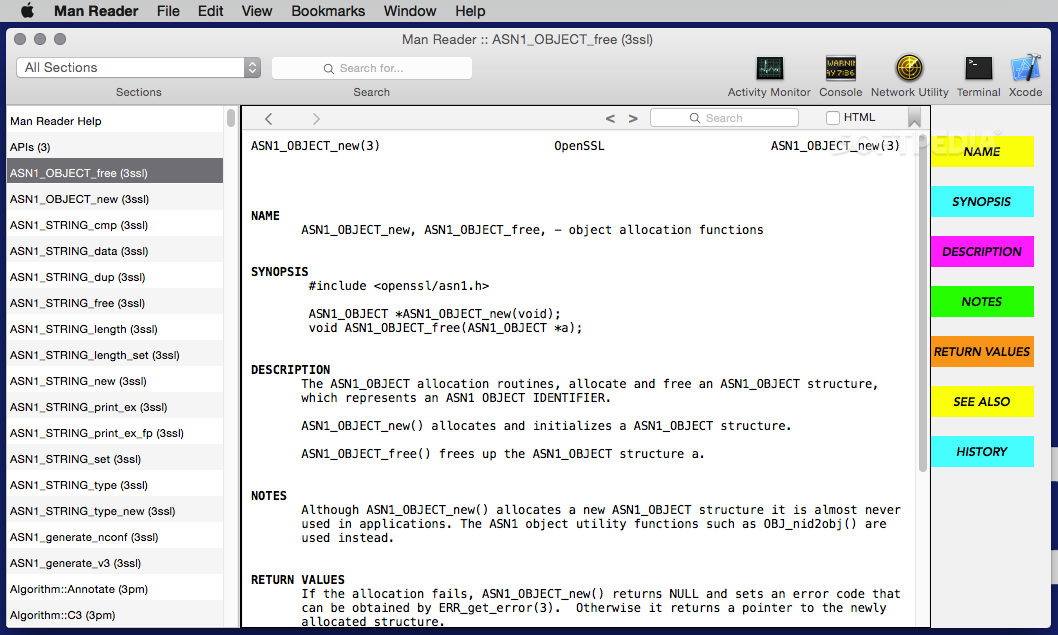
The UNIX man files available on your system can be accessed via the Terminal application, but the whole process is not exactly user friendly: to view their content while working on your project you must either open them in a separate window, or find other workarounds. Moreover, navigating the data can prove to be problematic.
Man Reader is a small but powerful Mac app designed to deal with these issues: upon launch, the app will scan your Mac for available man files, and allows you to view them in text or HTML mode.
For your convenience, Man Reader organizes the available man files into various categories, but also integrates a search tool for finding specific pages.
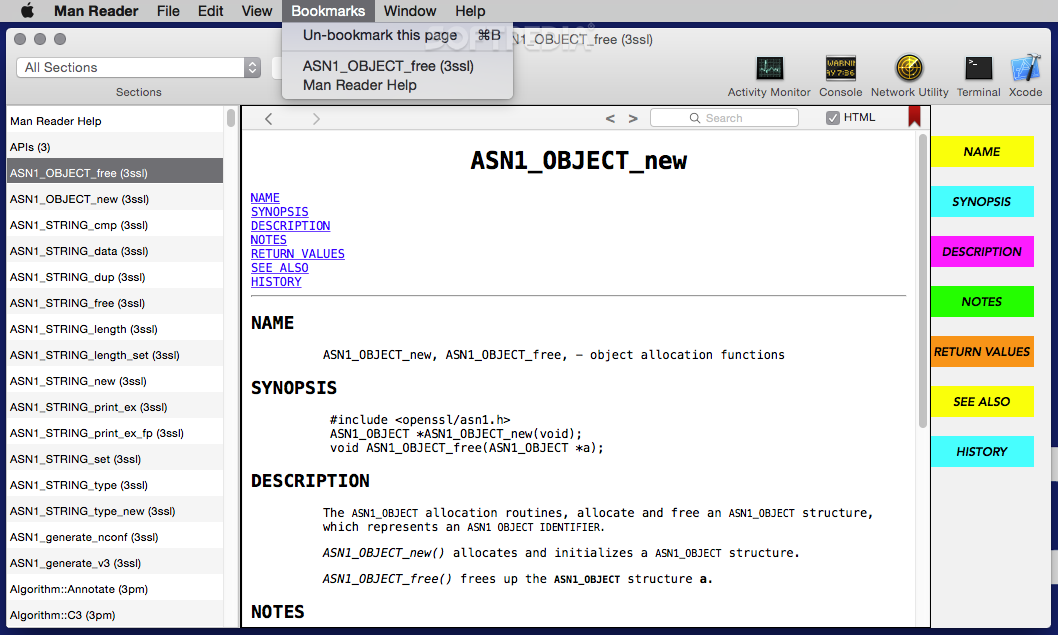
What’s more, the utility can bookmark certain entries: you will be able to access your favorite man pages with a simple mouse click, via the Bookmarks menu.
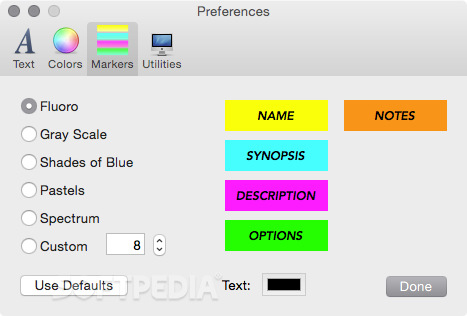
The Man Reader app can identify markers inside the man file to help you jump to specific areas in no time. Of course, you can also search for specific keywords.
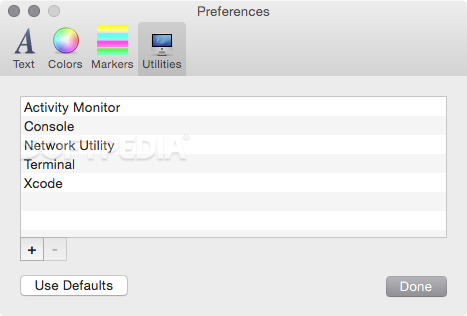
Man Reader also provides you with fast and seamless access to some of the most frequently used system tools: Activity Monitor, Console, Network Utility, Terminal, and Xcode.
Noteworthy is that the Man Reader sand-boxed version does not provide support for viewing man files used by utilities that are installed on your Mac, but have not been downloaded from the Mac App Store.
This means that you will be able to browse only the standard man pages, however, the developer also provides a Man Reader version that is not sand-boxed.
To conclude, if you are frequently working with man files and you do not want to go through the trouble of using workarounds to have their content available at all times, Man Reader certainly deserves a try because it will definitely make your life easier.
What's new in Man Reader 2.0:
- This is the long-awaited major update to Man Reader.
- It is completely re-written using modern styling and practices.
Man Reader 2.0
add to watchlist add to download basket send us an update REPORT- runs on:
- macOS 14.0 or later (-)
- file size:
- 1.3 MB
- filename:
- ManReader.zip

- main category:
- Developer Tools
- developer:
- visit homepage
7-Zip

Bitdefender Antivirus Free

Microsoft Teams

IrfanView

ShareX

Windows Sandbox Launcher

4k Video Downloader

Zoom Client

Context Menu Manager

calibre

- Zoom Client
- Context Menu Manager
- calibre
- 7-Zip
- Bitdefender Antivirus Free
- Microsoft Teams
- IrfanView
- ShareX
- Windows Sandbox Launcher
- 4k Video Downloader