
Intuitive and streamlined macOS app that aims to make it as simple and quick as possible to design and generate your own ePub and Mobi e-books. #E-book designer #Text to ebook #Ebook creator #E-book #Ebook #Epub
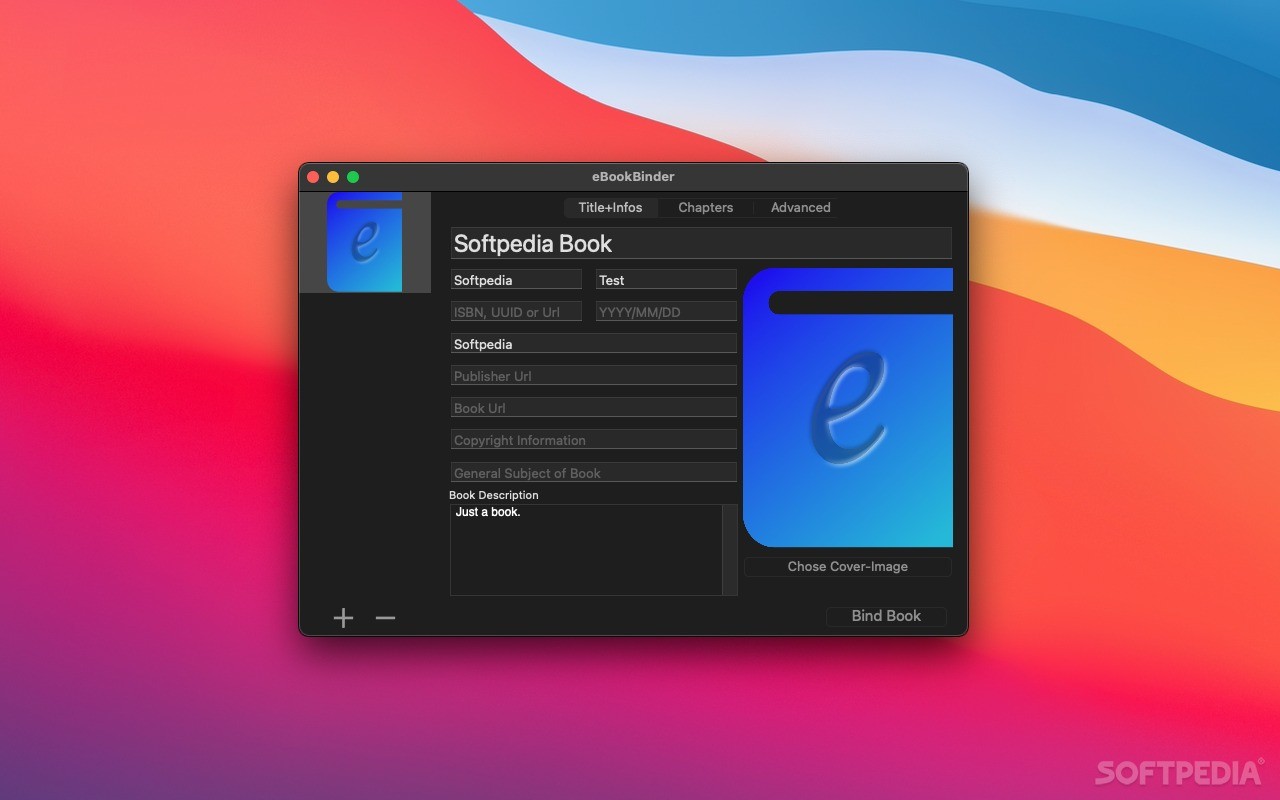
eBookBinder is a straightforward and user-oriented macOS utility that aims to help you create your own e-books using various text based file formats as a source.
Right from the beginning, once you launch eBookBinder on your Mac, you are greeted with a minimal looking interface that makes it quite simple and quick to add all the needed information about the e-book that you want to create.
From the “Titles+Infos” tab, you can add up to 8 different information bits about your e-book, as well as a small description of its contents and a cover image that summarizes your e-books contents in one picture.
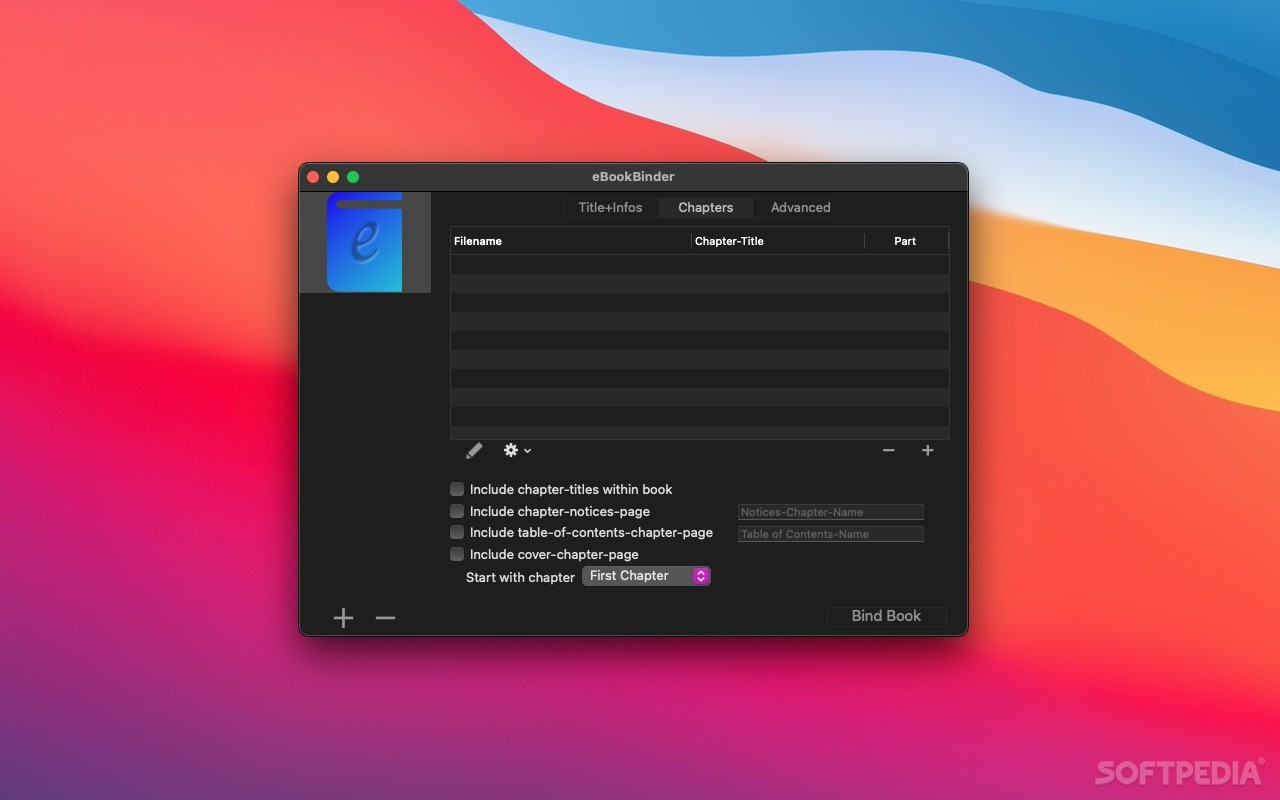
Next, you can add your e-book’s content via the “Chapters” tab and eBookBinder will allow you to edit each chapter’s name. On this tab you can also choose to include a table of contents within the output e-book, numbering using a wide selection of formats and a notices chapter page if you really need to.
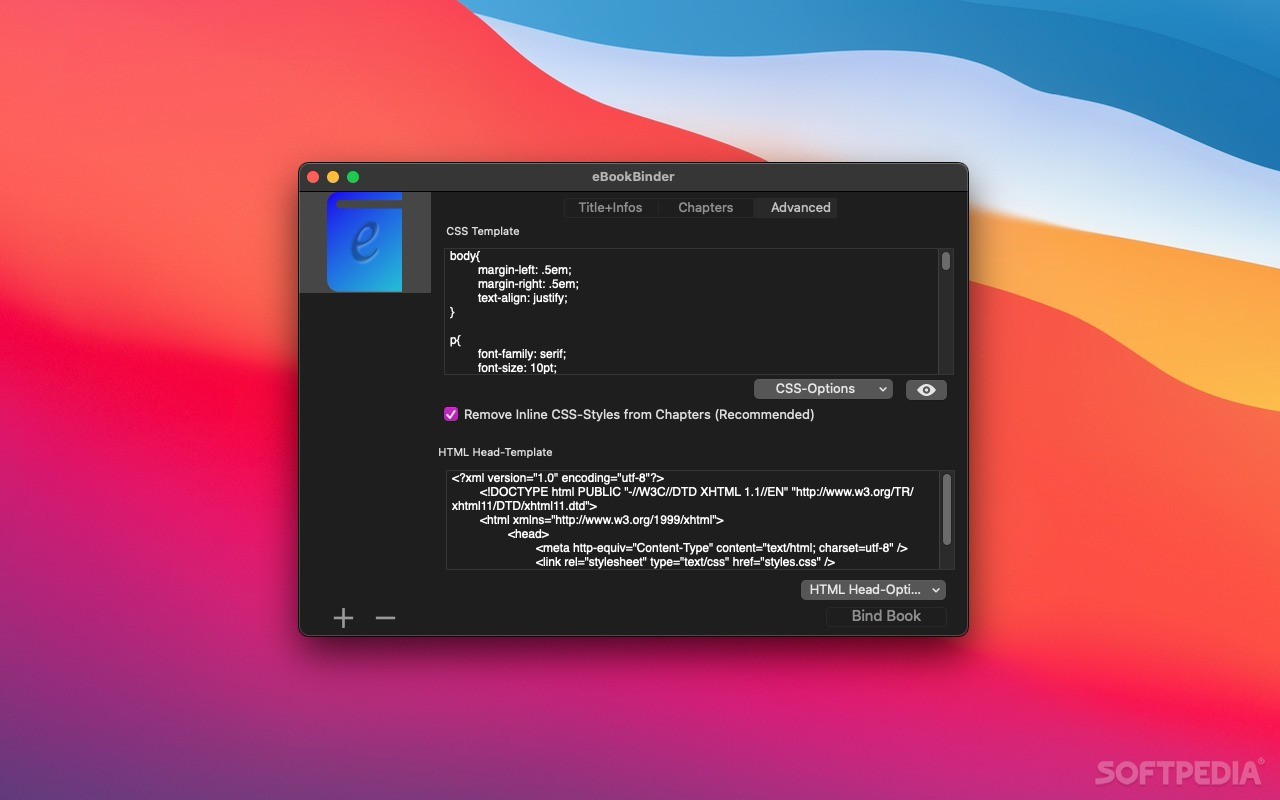
You can make use of a CSS template and an HTML-Head template to further customize your e-books final look. These two options will make it a lot easier to adjust your e-book’s design because of the flexibility the two languages have in altering the appearance of various types of content.
What’s more, using eBookBinder’s Preferences window, you can setup a set of default values to be used for each and every e-book your will generate. From this same dialog, you can configure eBookBinder to automatically convert any files you add to your e-book, if they come with a given extension.
Creating an Amazon compatible Mobi e-book using eBookBinder requires you to download the Kindlegen utility, a simple task that can also be performed from the app’s Preferences window.
The eBookBinder allows you to use a large variety of input files, from plain text files to doc, odt, rtf, html and even webarchives.
This means that creating your own e-book will not involve juggling around with various file format converters in order to make sure that the content that you want to add can be added to the final product.
What's new in eBookBinder 1.12.4:
- Note:
- eBookBinder requires at least macOS 10.13 or newer as of this version
eBookBinder 1.12.4
add to watchlist add to download basket send us an update REPORT- runs on:
- macOS 10.13 or later (Universal Binary)
- file size:
- 2.9 MB
- filename:
- eBookBinder-Demo.zip
- main category:
- DTP/Prepress
- developer:
- visit homepage
Bitdefender Antivirus Free

4k Video Downloader

Context Menu Manager

7-Zip

Microsoft Teams

Zoom Client

ShareX

IrfanView

Windows Sandbox Launcher

calibre

- IrfanView
- Windows Sandbox Launcher
- calibre
- Bitdefender Antivirus Free
- 4k Video Downloader
- Context Menu Manager
- 7-Zip
- Microsoft Teams
- Zoom Client
- ShareX