
Enhanced markup tags for InDesign. #InDesign markup #InDesign automation #Markup automation #InDesign #Markup #Automation
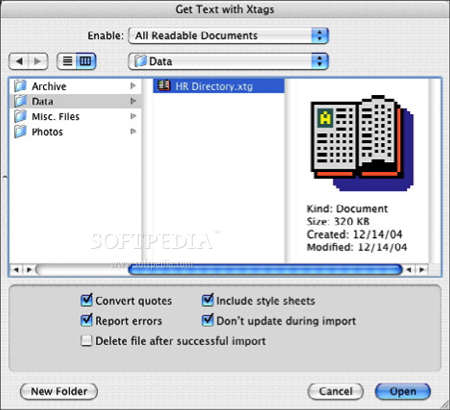
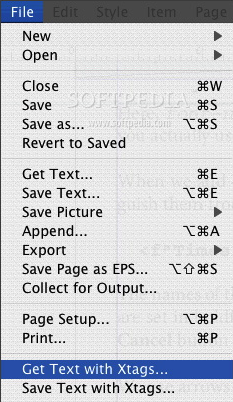
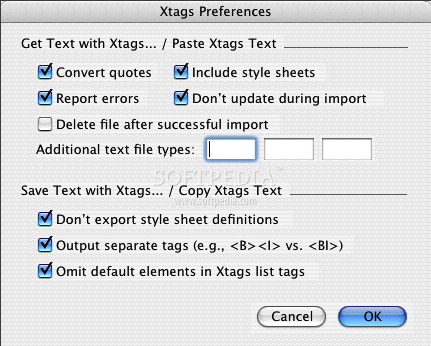
Xtags is a powerful and easy to use text filter for Adobe InDesign that automatically creates finished documents from a tagged text file.
Xtags gives IT departments, OEMs, and system integrators a way to automate the construction of complex documents without learning InDesign internals or creating custom plugins, and it gives tag-using end users the power they need for complex editorial jobs.
When driving the document building process with a database (picture-based data publishing, books, catalogs, classified ads, etc.), Xtags gives you the ability to build very complex documents using the data-side environment of your choice.
From the end user's standpoint, no technical knowledge is required, and it's easy to use - you produce a tagged text file, and the end user (or your automation script) simply imports the tagged text to generate the final document. Here are just a few things you can produce with Xtags: catalogs, one-to-one marketing, TV guides, directories, real estate guides, trader and swap magazines, phone books, classified advertising, and much more!
Xtags can create text content with full styling, anchored and unanchored boxes and rules, size boxes to their contents, group multiple items together, apply master pages, and control many other aspects of document building.
It integrates with InCatalog as well, allowing you to build a document and then update your data at any time without having to rebuild your document. Xtags is available for both Mac OS and Windows.
System requirements
Limitations in the unregistered version
- This demo version will allow you to add a maximum of 50 paragraphs per import or export.
Xtags for InDesign 2.4.1
add to watchlist add to download basket send us an update REPORT- runs on:
- Mac OS X (-)
- file size:
- 883 KB
- filename:
- Xtags_2_4_1_for_InDesign_CC2017_MacOS.pkg
- main category:
- DTP/Prepress
- developer:
- visit homepage
Zoom Client

paint.net

calibre

7-Zip

ShareX

IrfanView

Windows Sandbox Launcher

Microsoft Teams

4k Video Downloader

Bitdefender Antivirus Free

- Microsoft Teams
- 4k Video Downloader
- Bitdefender Antivirus Free
- Zoom Client
- paint.net
- calibre
- 7-Zip
- ShareX
- IrfanView
- Windows Sandbox Launcher