Search Perform an advanced search query SOFTPEDIA
 
SOFTPEDIA
Updated one minute ago
HomeSubmit a program for being reviewedAdvertise on our websiteGet help on surfing our websitesSend us your feedbackGet information about our XML/RSS backend and how to use itBrowse the news archiveVisit our discussion forumVizitati forumul in limba romana


NormalFreeware onlyShareware only

Gimp 2.4.6

Click to download GimpappIf you developed this product, click here to download your SoftPedia Pick Award
Add to download basket
Send update information
View more screenshots
Rating: Good (3.0/5)
Rated by: 33 user(s)
Recent news
- Creative Comes After Apple&...
- Apple Patent for Multiple D...
- Greenpeace Thinks It Made A...
- Apple and Full Sail Initiat...
- A Greener Apple
- Apple Revamps Apple Store S...
- iPhone Could Have A Bigger ...

 Downloads: 21,358
 Developer: Gimp.org | More programs by this producer
 License: Freeware
 Price: FREE 
 OS: Mac OS X 10.4 or higher
 Binary format: Universal Binary
 Size: 66.9 MB
 Download time: 56K: 2h 43m   64K: 2h 22m   128K: 1h 11m   768K: 11m 53s
 Last Updated: June 2nd, 2008 00:32
 Category: MAC HD :: DTP/Prepress
 Read reviews (0) Add a review Refer to friend Subscribe

Gimpapp description Download
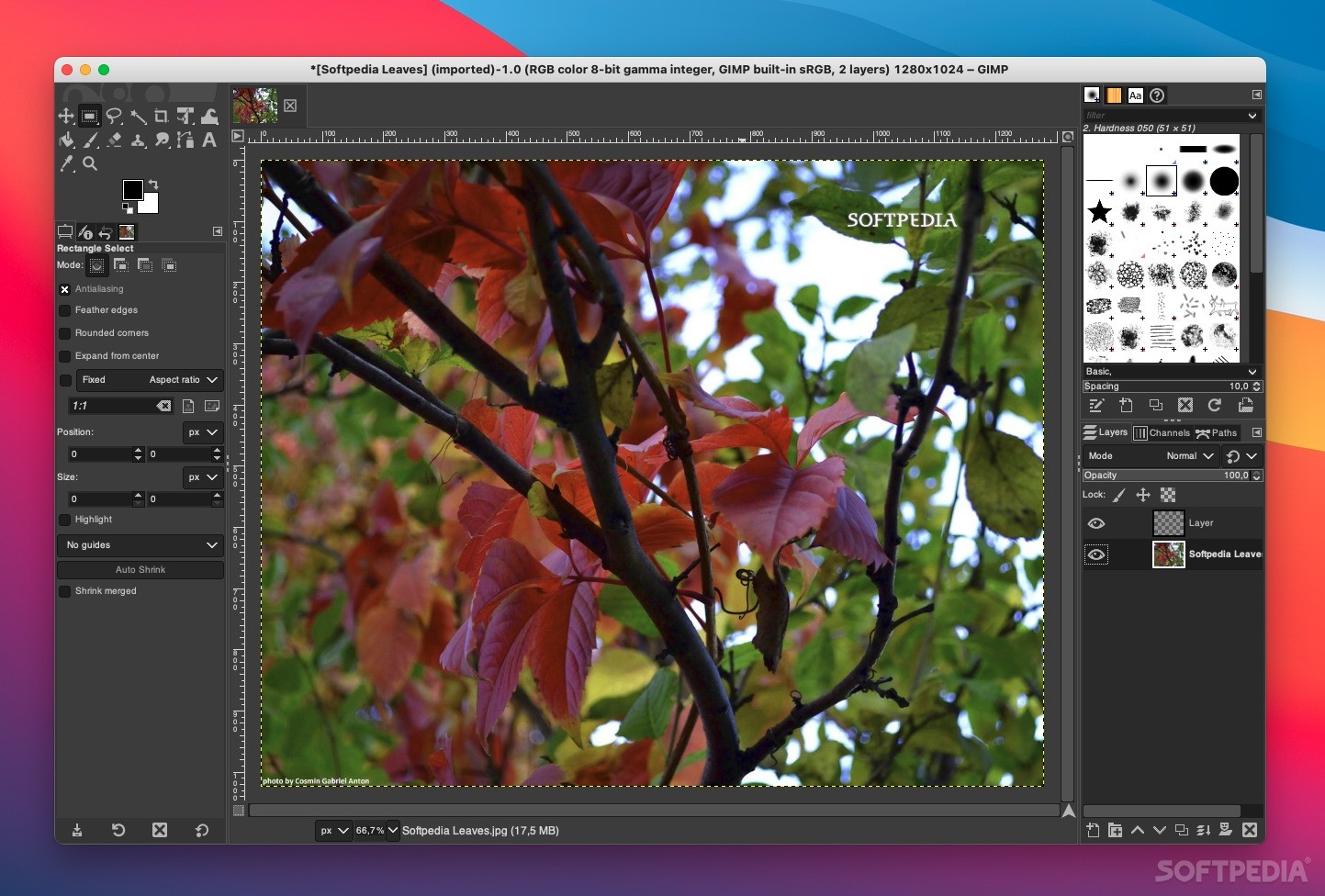
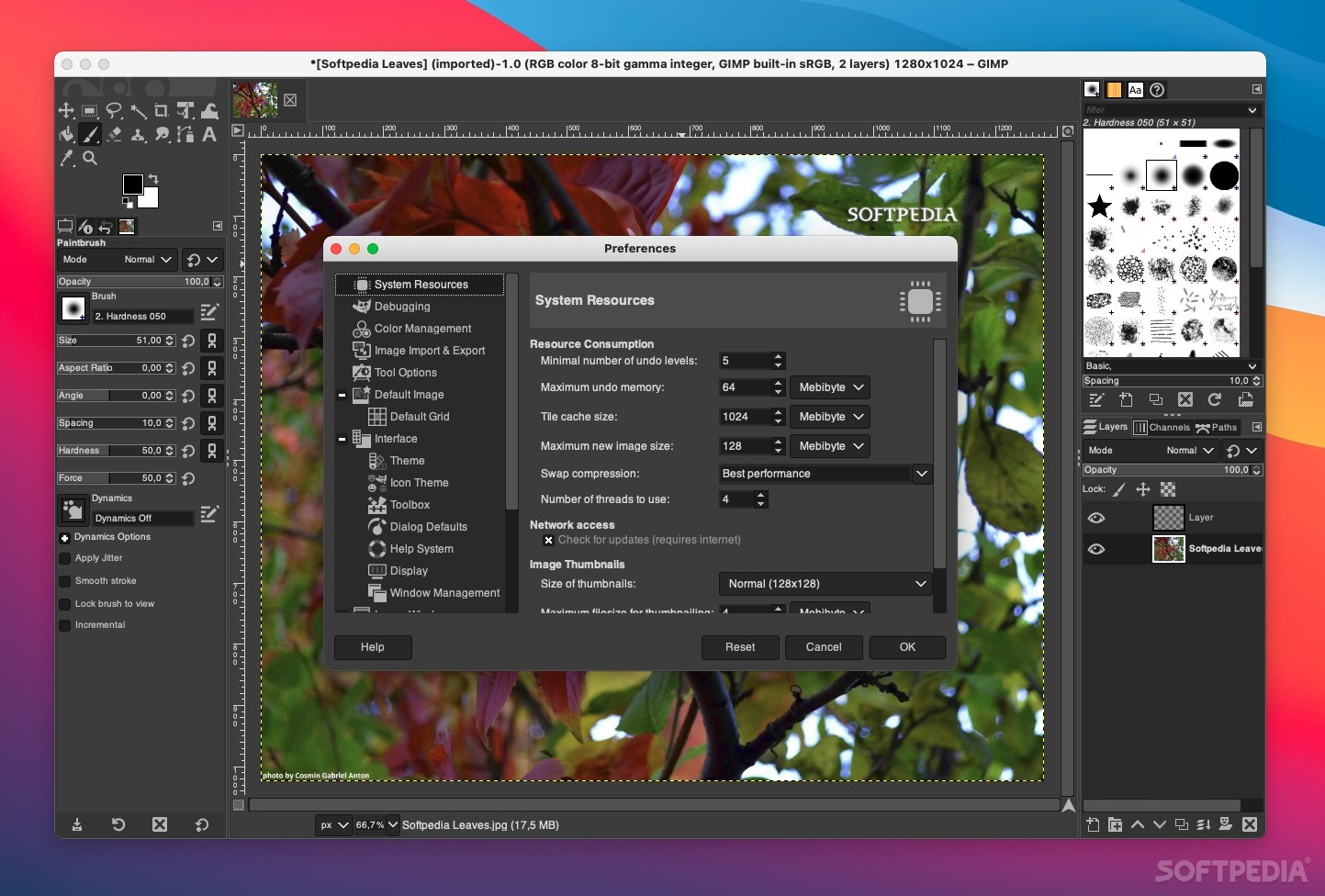
Gimp.app is a self contained application bundle of the GNU Image Manipulation Program for Mac OS X. It requires Apple's X11.

Gimp.app is droppable, uses the system's default web browser for help and web browsing requests and also uses the gimp-print package built into OS X.

Here are some key features of "Gimpapp":

· Customizable Interface
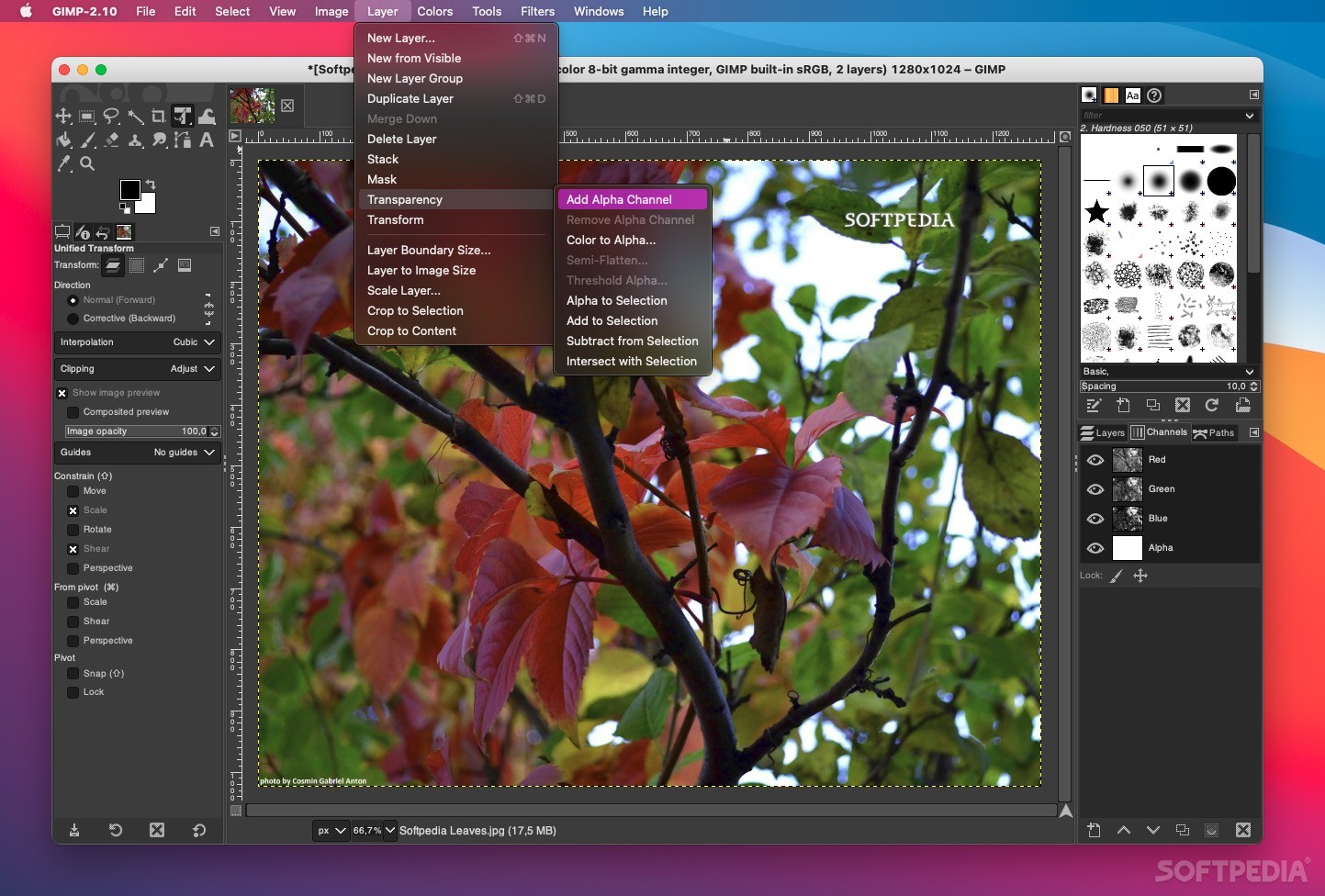
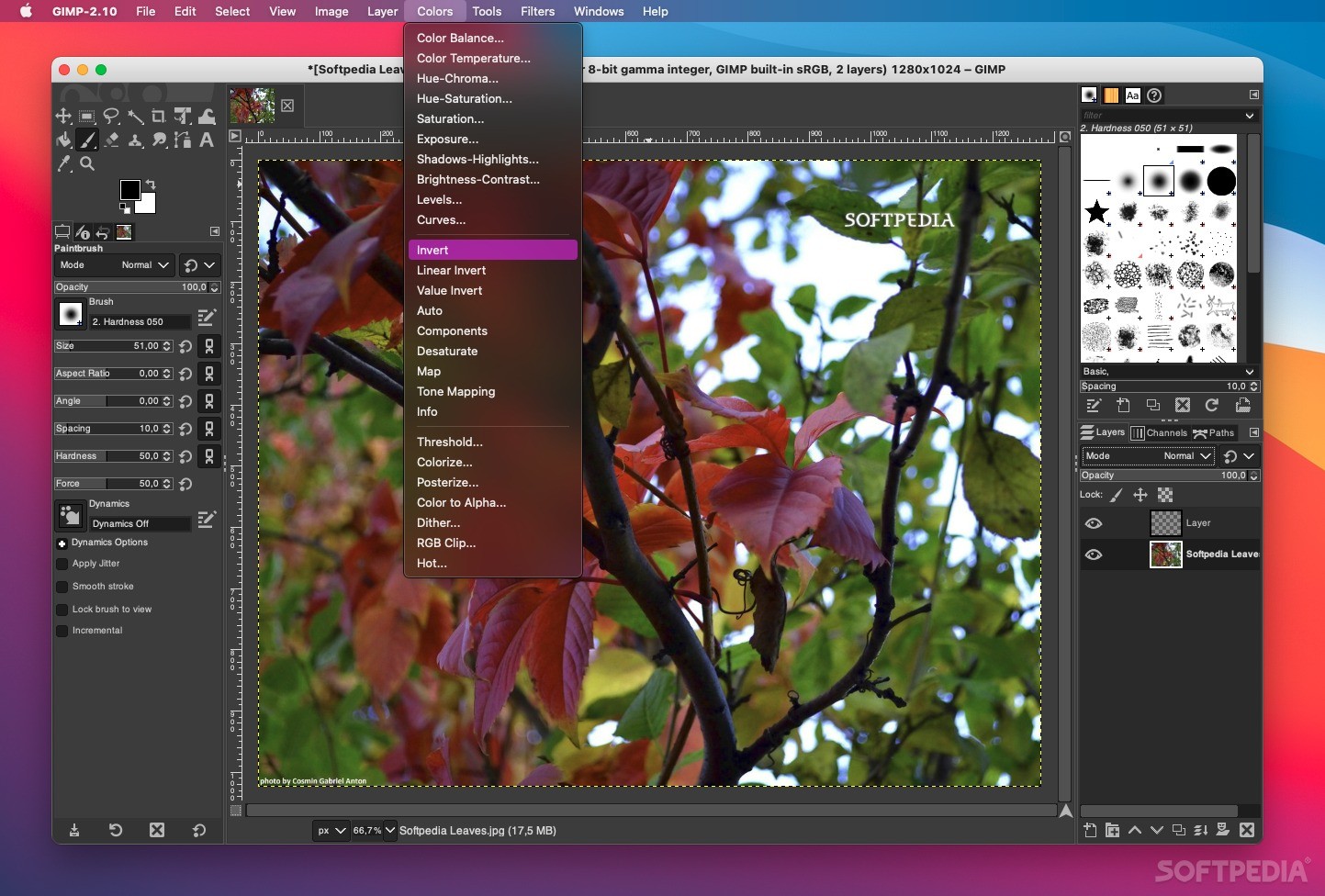
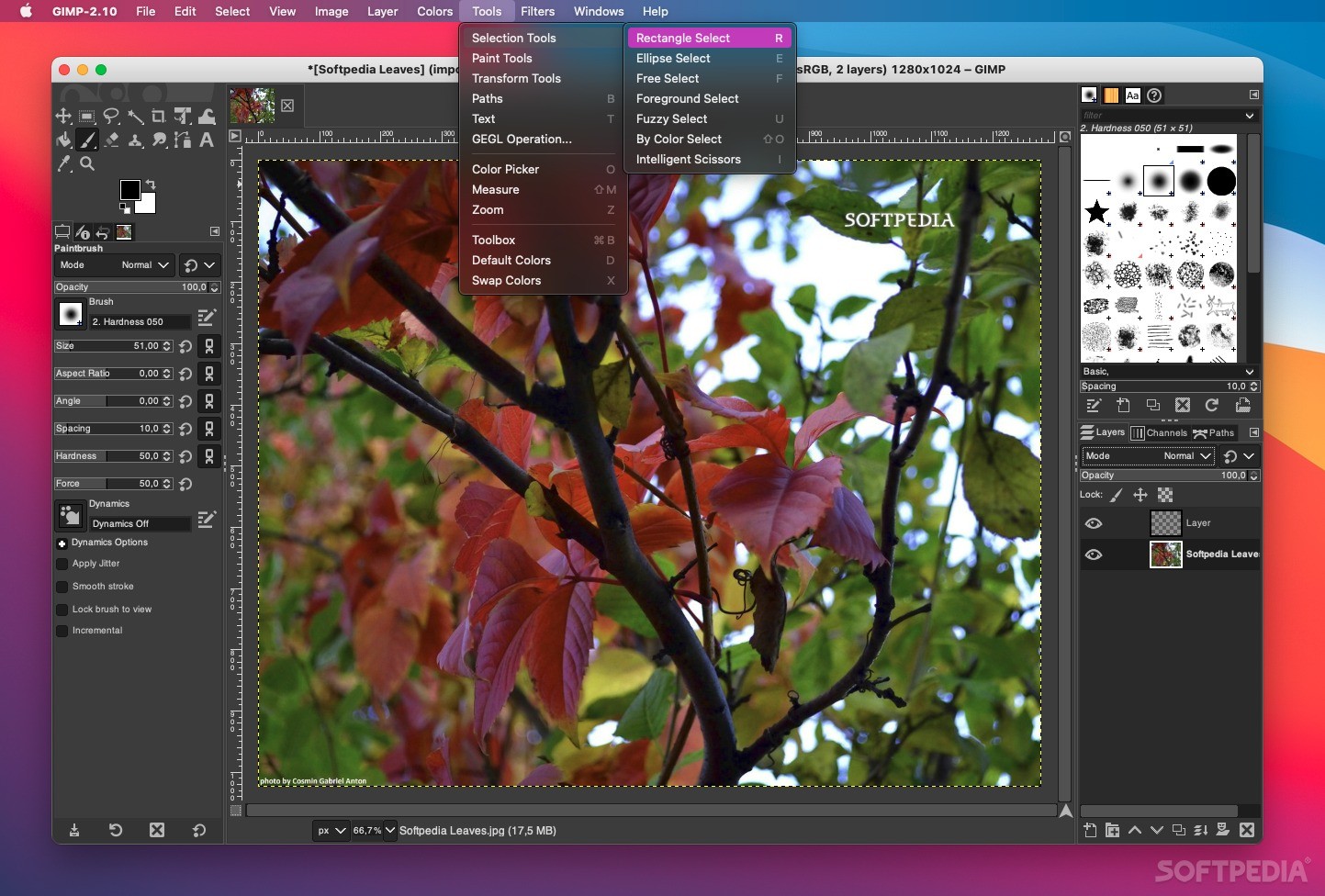
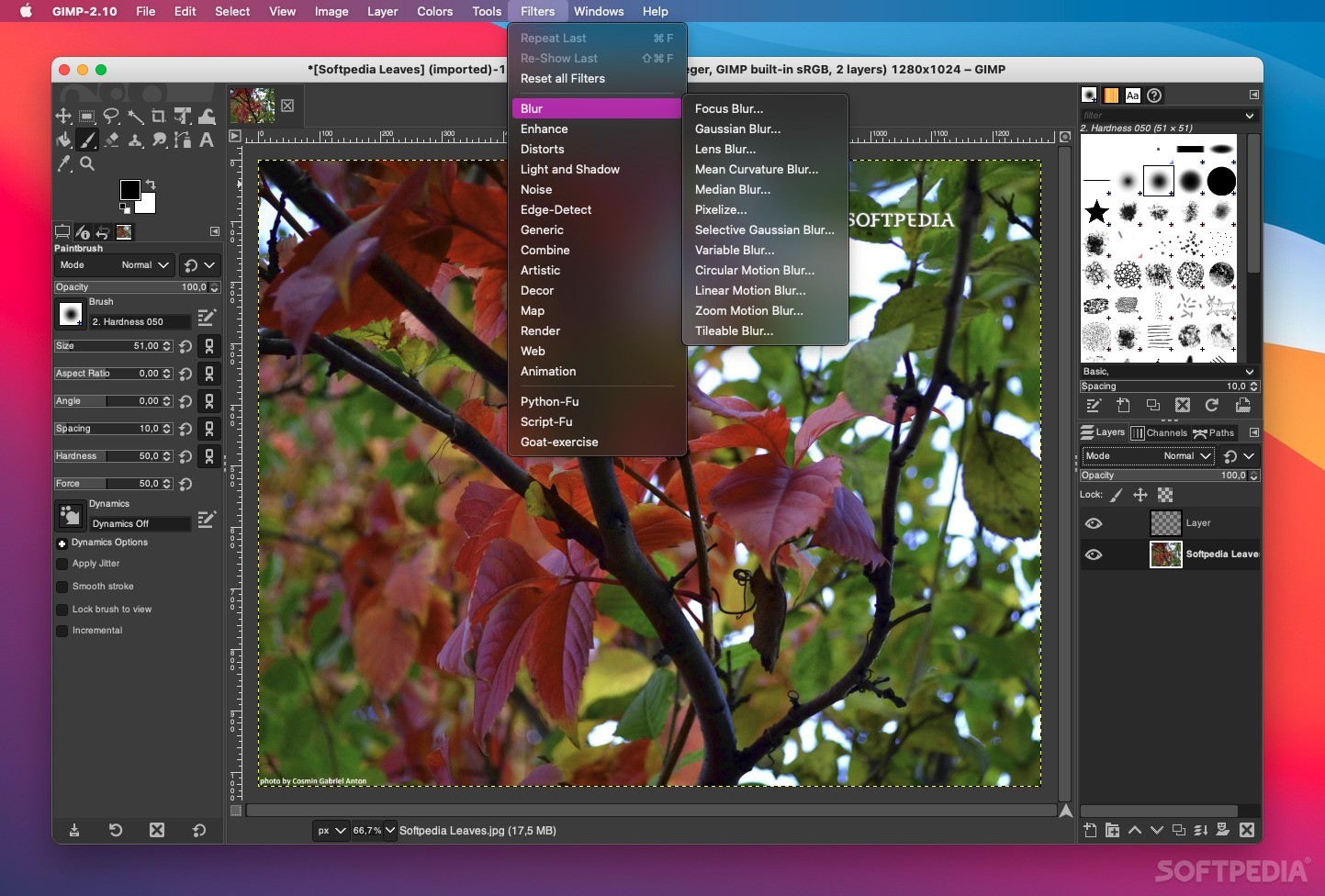
Each task requires a different environment and GIMP allows you to customize the view and behavior the way you like it. Starting from the widget theme, allowing you to change colors, widget spacings and icon sizes to custom tool sets in the toolbox. The interface is modulized into so called docks, allowing you to stack them into tabs or keep them open in their own window. Pressing the tab key will toggle them hidden.
GIMP features a great fullscreen mode allowing you to not only preview your artwork but also do editing work while using the most of your screen estate.

· Photo Enhancement
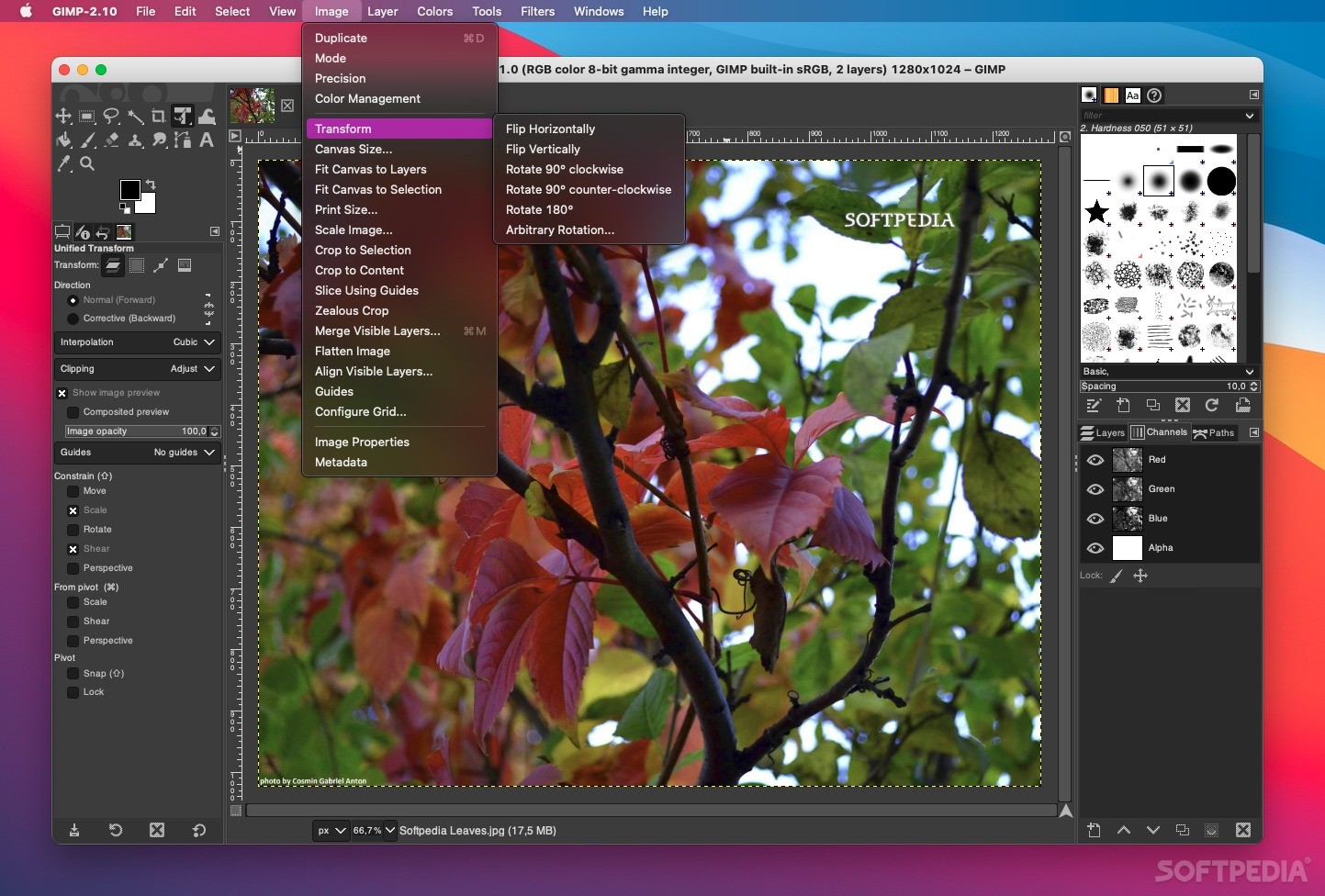
Numerous digital photo imperfections can be easily compensated for using GIMP. Fix perspective distortion caused by lens tilt simply choosing the corrective mode in the transform tools. Eliminate lens' barrel distortion and vignetting with a powerful filter but a simple interface.
The included channel mixer gives you the flexibility and power to get your B/W photography stand out the way you need.

· Digital Retouching
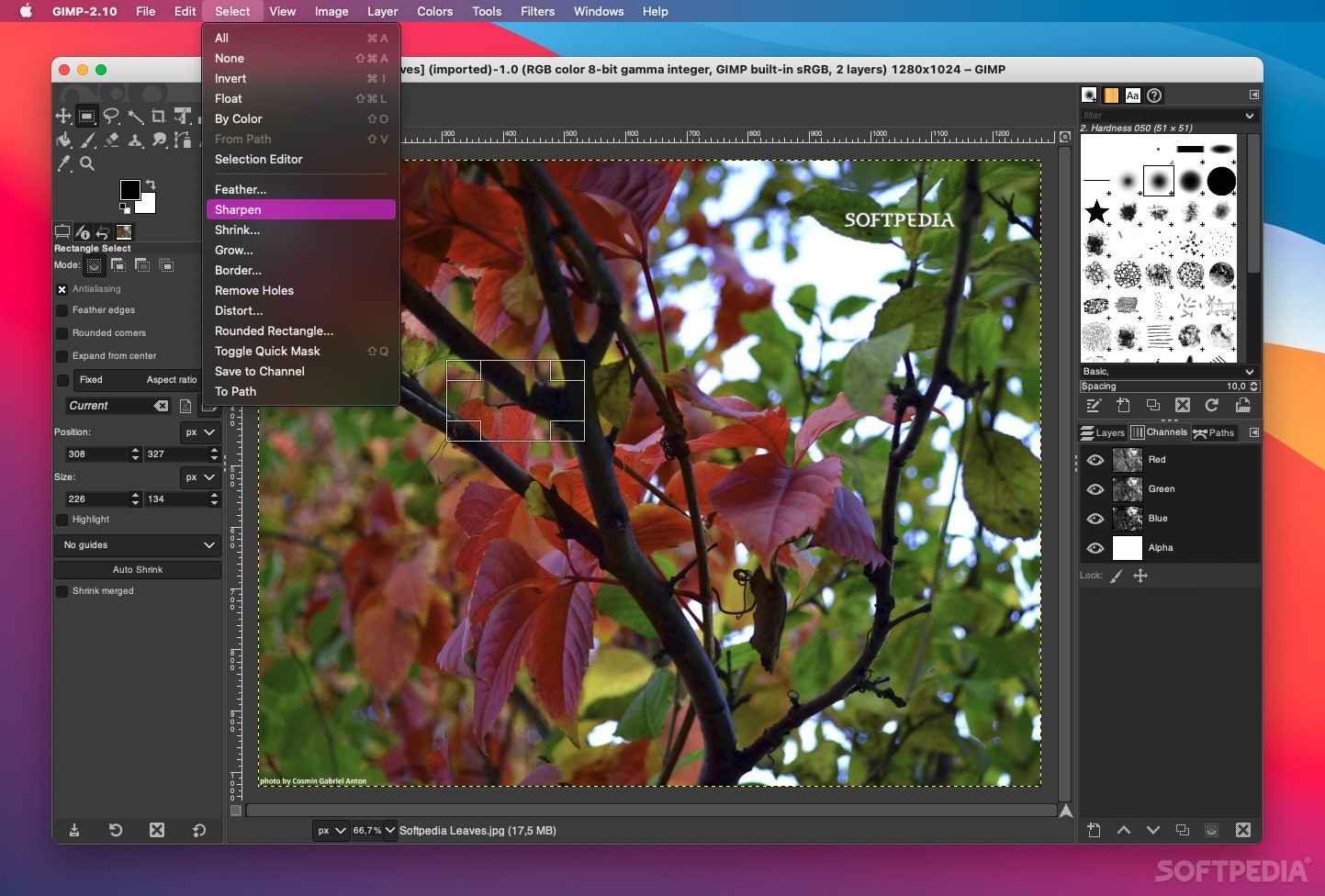
GIMP is ideal for advanced photo retouching techniques. Get rid of unneeded details using the clone tool, or touch up minor details easily with the new healing tool. With the perspective clone tool, it's not difficult to clone objects with perspective in mind just as easily as with the orthogonal clone.

· Hardware Support
GIMP includes a very unique support for various input devices out of the box. Pressure and tilt sensitive tablets, but also a wide range of USB or MIDI controllers. You can bind often-used actions to device events such as rotating a USB wheel or moving a MIDI controller's slider. Change the size, angle or opacity of a brush while you paint, bind your favorite scripts to buttons. Speed up your workflow!

· File Formats
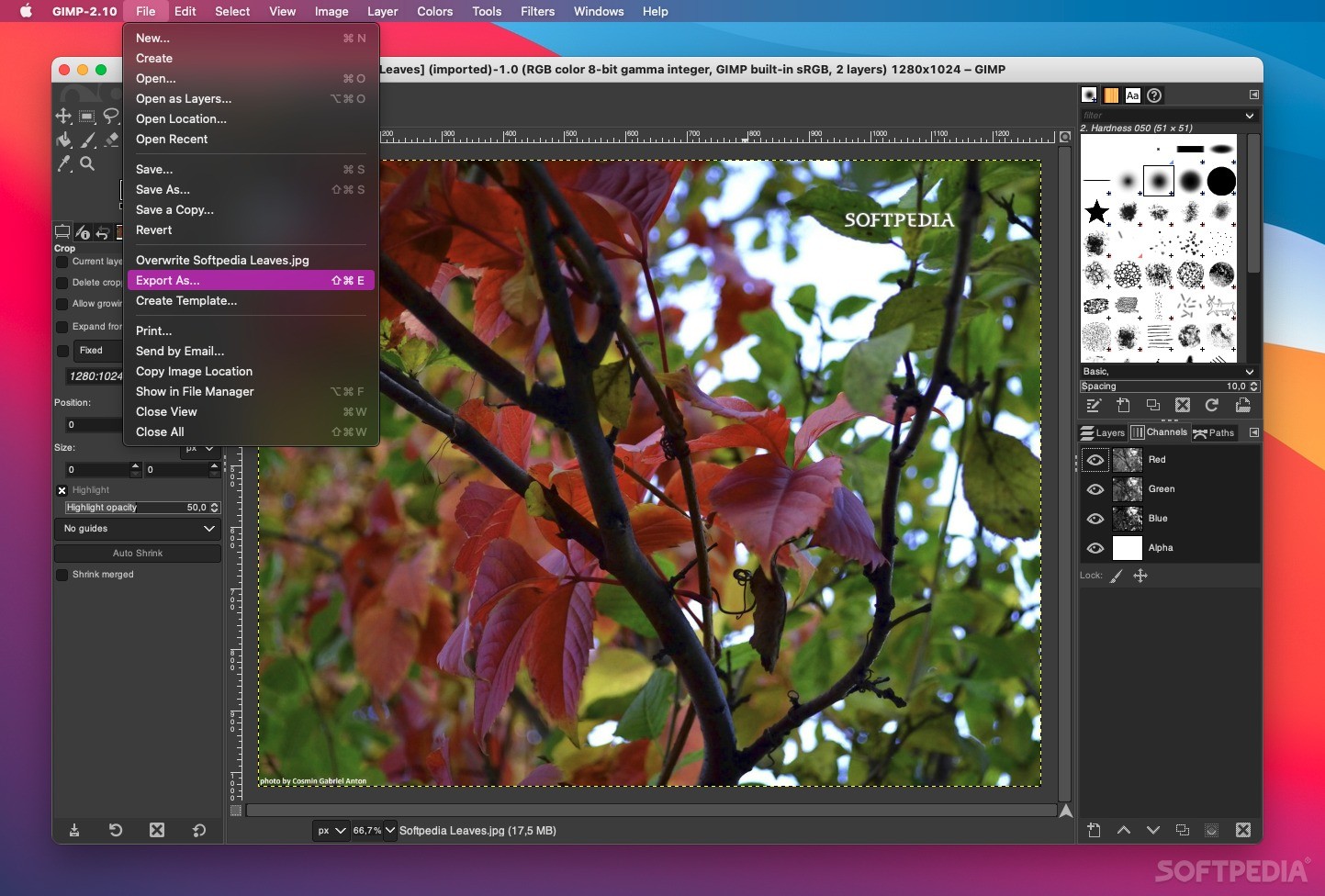
The file format support ranges from the common likes of JPEG (JFIF), GIF, PNG, TIFF to special use formats such as the multi-resolution and multi-color-depth Windows icon files. The architecture allows to extend GIMP's format capabilities with a plug-in. You can find some rare format support in the GIMP plugin registry.
Thanks to the transparent virtual file system, it is possible to load and save files to from remote locations using protocols such as FTP, HTTP or even SMB (MS Windows shares) and SFTP/SSH.
To save disk space, any format can be saved with an archive extension such as ZIP, GZ or BZ2 and GIMP will transparently compress the file without you needing to do any extra steps.


Requirements:

· Apple X11 1.0 or higher.


What's New in This Release:

· fixed handling of the "antialias" tool option (bug #521069)
· when loading a TIFF image, always set a filename on it (bug #521436)
· fixed initial state of curve type in Curves tool (bug #523873)
· fixed potential crash in the Dicom load plug-in
· respect the brush mask in the Heal tool (bug #521433)
· plugged some minor memory leaks
· fixed a glitch in the DND code (bug #317992)
· gimp-image-convert() must not accept palettes with > 256 colors (bug #525471)
· fixed parameter description in the Map Object plug-in (bug #526679)
· fixed compilation of unit tests on Mac OS X (bug #528160)
· fixed handling of "argc-lower-val-y" PDB parameter in Curve Bend plug-in
· fixed overlap problem in Hue-Saturation tool (bug #527085)
· fixed asymmetry in Unsharp Mask plug-in (bug #530077)
· don't show non-existant color profiles in the selector (bug #528958)
· fixed issues with default aspect ratio in the Crop tool (bug #532057)
· fixed compilation of the PDF import plug-in with libpoppler 0.8
· fixed bug in clipboard brush code (bug #532886)
· corrected layer mask flag in PSD save plug-in (bug #526811)
· fixed an issue with tablets and newer X.Org releases
· keep the JPEG save plug-in from writing an empty EXIF tag (bug #529469)
· fixed crash in Selective Gaussion Blur plug-in (bug #529280)
· added new translations (Belarusian, Catalan, Norwegian Nynorsk)
· translation fixes and updates (ar, ca, de, el, es, fi, fr, hu, it, ko, pl, pt_BR, ro, sv)... [ read full changelog ]


Softpedia guarantees that Gimp 2.4.6 is 100% FREE, which means it is a freeware product (both for personal and commercial use) that does not contain any form of malware, including but not limited to: spyware, viruses, trojans and backdoors.

This software product was tested thoroughly and was found absolutely clean, therefore it can be installed with no concern by any computer user.However, it should be noted that this product will be retested periodically and the award may be withdrawn, so you should check back on this page from time to time.

Gimpapp Download Gimpapp Screenshots
Find Related Downloads Similar freeware programs


RECOMMENDED PROGRAMS IN THIS CATEGORY ( DTP/Prepress )  

QuarkXPress 7.31
QuarkXPress provides a way to work efficiently to achieve innovative outcomes, with new capabilities like direct PDF export
324 MB | Mac OS X 10.4 or later | Trial
screenshot
pick | update
Q2ID 1.0
Q2ID - Convert QuarkXPress content into a new InDesign document
n/a MB | Mac OS X 10.2 or later | Comercialware
screenshot
new
PDF-Recover 4.0.1
PDF-Recover can be used to decrypt protected Adobe Acrobat PDF files
1.76 MB | Max OS X 10.2 or later | Demo
screenshot
pick | update
Enfocus PitStop Professional 7.52
Enfocus PitStop Professional - Visual PDF editor & preflight for Acrobat
115 MB | Mac OS X 10.3.9 or later | Demo
screenshot
update
PDFKey Pro 3.7.2
PDFKey Pro - Mac OS X utility to unlock password-protected PDF documents
1.67 MB | Mac OS X 10.4.6 or later | Demo
screenshot
pick | update
Enlarger Pro 3.0.3
Enlarger Pro - Remarkably easy to use, yet offering incredibly powerful photographic enlargement
1.4 MB | Mac OS X 10.2 or higher | Trial
screenshot
pick | update
ID2Q 1.0
ID2Q - Convert InDesign files into QuarkXPress documents
463 KB | Mac OS 8.6 or later | Trial
screenshot
new

MOST POPULAR PROGRAMS IN THIS CATEGORY ( DTP/Prepress )  

QuarkXPress 7.31
QuarkXPress provides a way to work efficiently to achieve innovative outcomes, with new capabilities like direct PDF export
324 MB | Mac OS X 10.4 or later | Trial
screenshot
pick | update
Gimp 2.4.6
Gimp - A self contained application bundle of the GNU Image Manipulation Program for OS X
66.9 MB | Mac OS X 10.4 or higher | Freeware
screenshot
pick | update
ImageMagick 9.3.0
ImageMagick - Free software suite for the creation, modification and display of bitmap images
15.7 MB | Mac OS X 10.4 or later | GPL
screenshot
update
QuarkXPress Update 6.5
QuarkXPress is probably the most popular page layout program available on the Mac
154 MB | Mac OS X 10.3 or later | Freeware
screenshot
update
Q2ID 1.0
Q2ID - Convert QuarkXPress content into a new InDesign document
n/a MB | Mac OS X 10.2 or later | Comercialware
screenshot
new
PDFMergeX 1.0.1
PDFMergeX - Arrage, merge PDF files
659 KB | Mac OS X 10.4 or later | Freeware
screenshot
new
PDF-Recover 4.0.1
PDF-Recover can be used to decrypt protected Adobe Acrobat PDF files
1.76 MB | Max OS X 10.2 or later | Demo
screenshot
pick | update

go to top  


Welcome!
Hello, Guest

Login if you have a Softpedia.com account.

Otherwise, register for one.

Main categories:
  • Dashboard Widgets
  • Automator Actions & Workflows
  • Spotlight Plugins & Utilities
  • Antivirus
  • Audio
  • Business
  • Communications
  • Compression Tools
  • Developer Tools
  • Development
  • Drivers
  • DTP/Prepress
  • Educational
  • Finance
  • Font Tools
  • Games
  • Graphics
  • HTML Tools
  • Internet Utilities
  • iPod Tools
  • Math/Scientific
  • Multimedia
  • Network/Admin
  • Screensavers
  • Security
  • System Utilities
  • Utilities
  • Video
  • Desktop
  • Word Processing
  • iPhone Applications
  • Week's best:
  • Adobe Reader 9.0
  • GraphicConverter 6.1...
  • Mozilla Firefox 3.0 ...
  • Adium 1.3 Beta 6 / 1...
  • Vuze (formerly Azure...
  • Apple Mac OS X Updat...
  • Apple Security Updat...
  • G-Force Gold 3.8.3
  • Speed Download 5.0.4
  • Microsoft Messenger ...
  • OpenOffice.org 3.0 B...
  • SoundConverter 20080...
  • PlugINCool 1.1.1
  • LimeWire X 4.18.3
  • Mozilla Firefox 3.0 ...
  • Butler 4.1.6
  • NeoOffice 2.2.4 Patc...
  • RAR 3.80 Beta 2
  • Adium 1.3 Beta 6 / 1...
  • Opera 9.51 Build 488...
  • © 2001 - 2008 Softpedia. All rights reserved.
    Softpedia™ and Softpedia™ logo are registered trademarks of SoftNews NET SRL.
    Copyright Information | Privacy Policy | Terms of Use | Contact Softpedia | Update your software | Archive