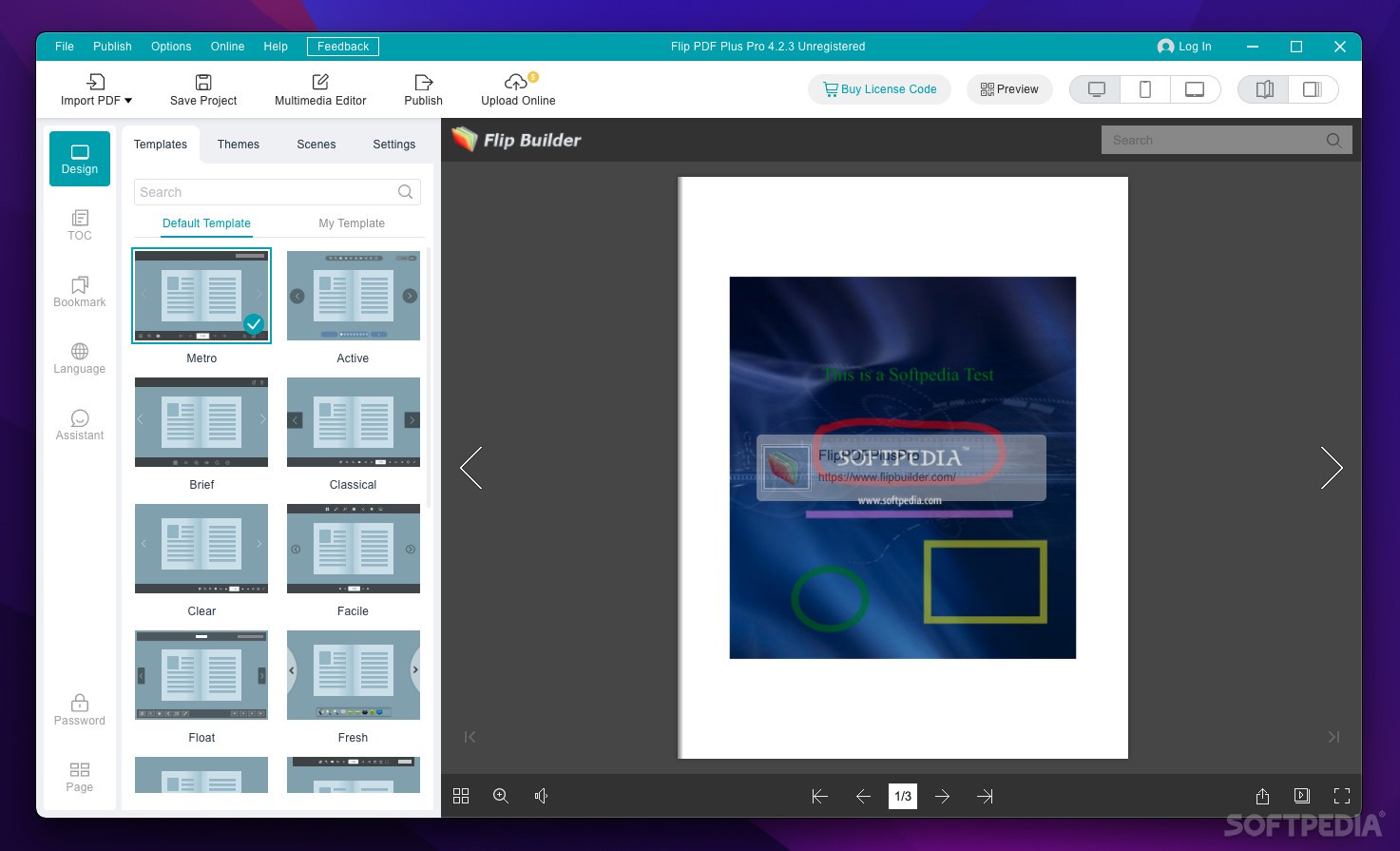
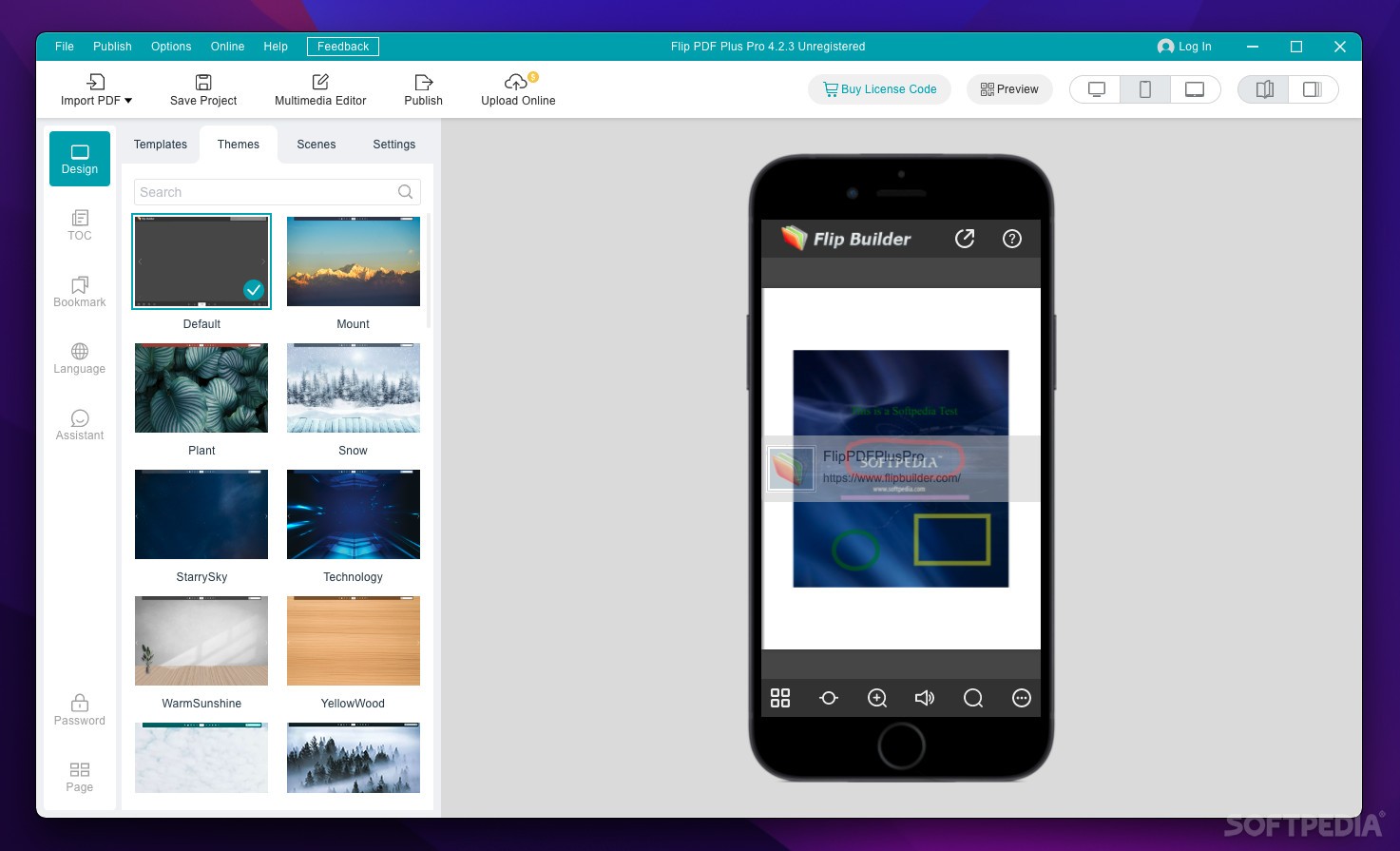
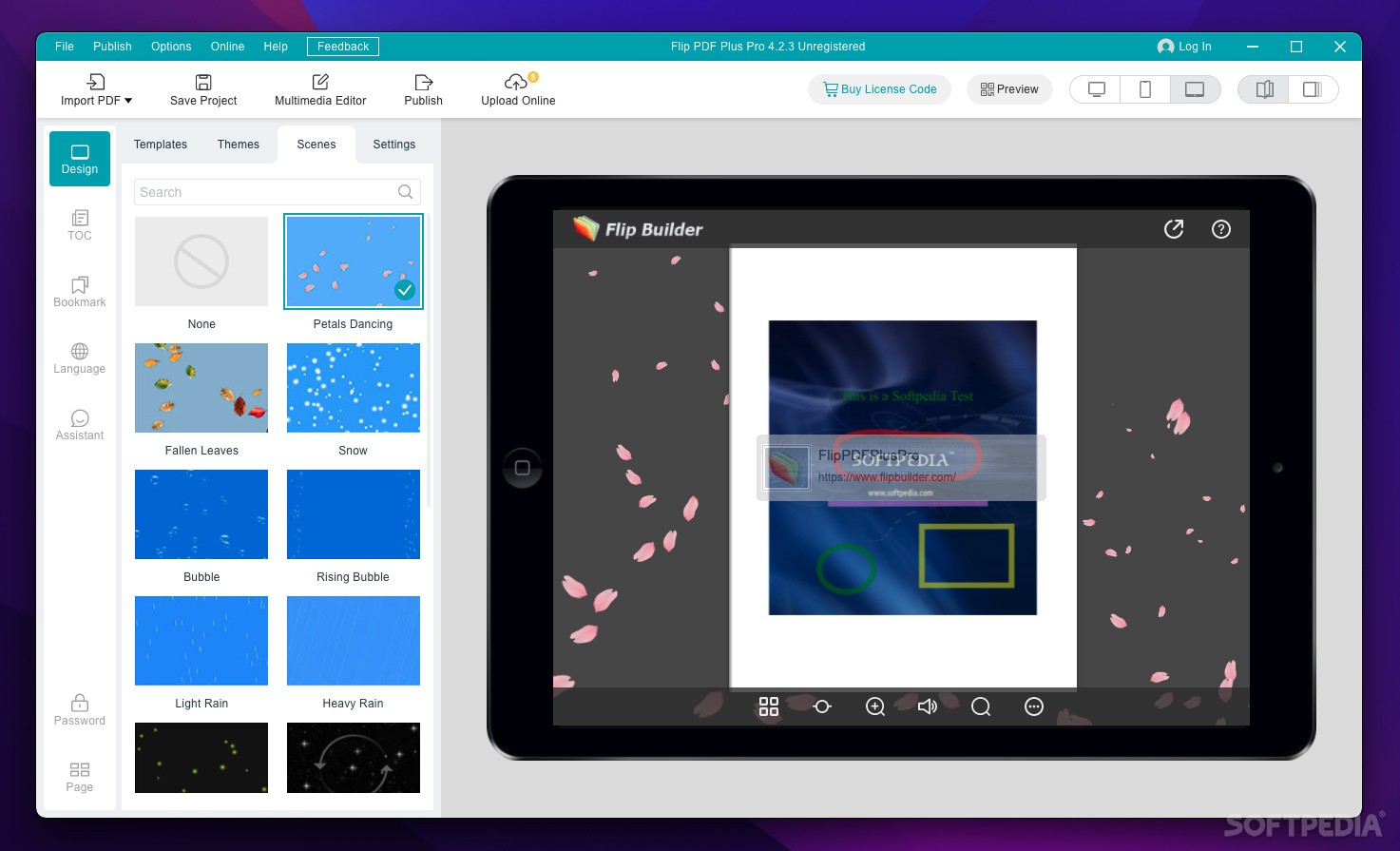
Flip PDF Professional is an amazing and useful OS X utility to convert PDF to Flash based eBooks with real life-like page flipping effect on Mac. The Professional version provides many powerful tools for you to build the eBooks.
You are enabled to edit imported PDF pages with embedding native Flash or YouTube Video, adding web links, page links and even email links, inserting background music, image album, Javascript actions and so on.
No limitation on the number of page-flipping eBooks you will create, no limitation on how many websites you will publish your created eBooks.
Here are some key features of "Flip PDF Professional":
· Embed Flash, image, movie, YouTube, audio, links - Want to put a native Flash or video file into the page-flipping eBook you are creating? YOU CAN! Would you like to add active links on the eBook without using the link edit tool of Acrobat Pro? YOU CAN! Flip PDF Pro for Mac allows you to edit imported PDF pages directly, including inserting links, images albums , movies, YouTube videos, sound and Flash files!
· Use Mac to customize Your Flash eBook - Different from other programs in Flip series, Flip PDF for Mac is software to run especially on Mac devices, Mac OS X Leopard, Mac OS X Snow Leopard, Mac OS X Lion, etc. The Mac version program provides you efficient and wonderful conversion mode for you to customize Your style page-flipping eBook with ease.
· Unique settings based on Pre-designed Templates - With the many pre-designed templates in Flip PDF for Mac, you can easily customize unique style to use for your own eBooks. The settings are various and detailed, and you are enabled to set tool bar icons, your book title and logo, hard cover, image background, etc..
· Set Permissions, language for buttons on Tool Bar - While using Flip PDF Pro for Mac, you can edit language to show your book tips, allow users to download your created flipbook, view your eBook in Full Screen mode, share the books in Facebook, Twitter, Google, Yahoo and so on. You can also disable these functionalities in the contrary.
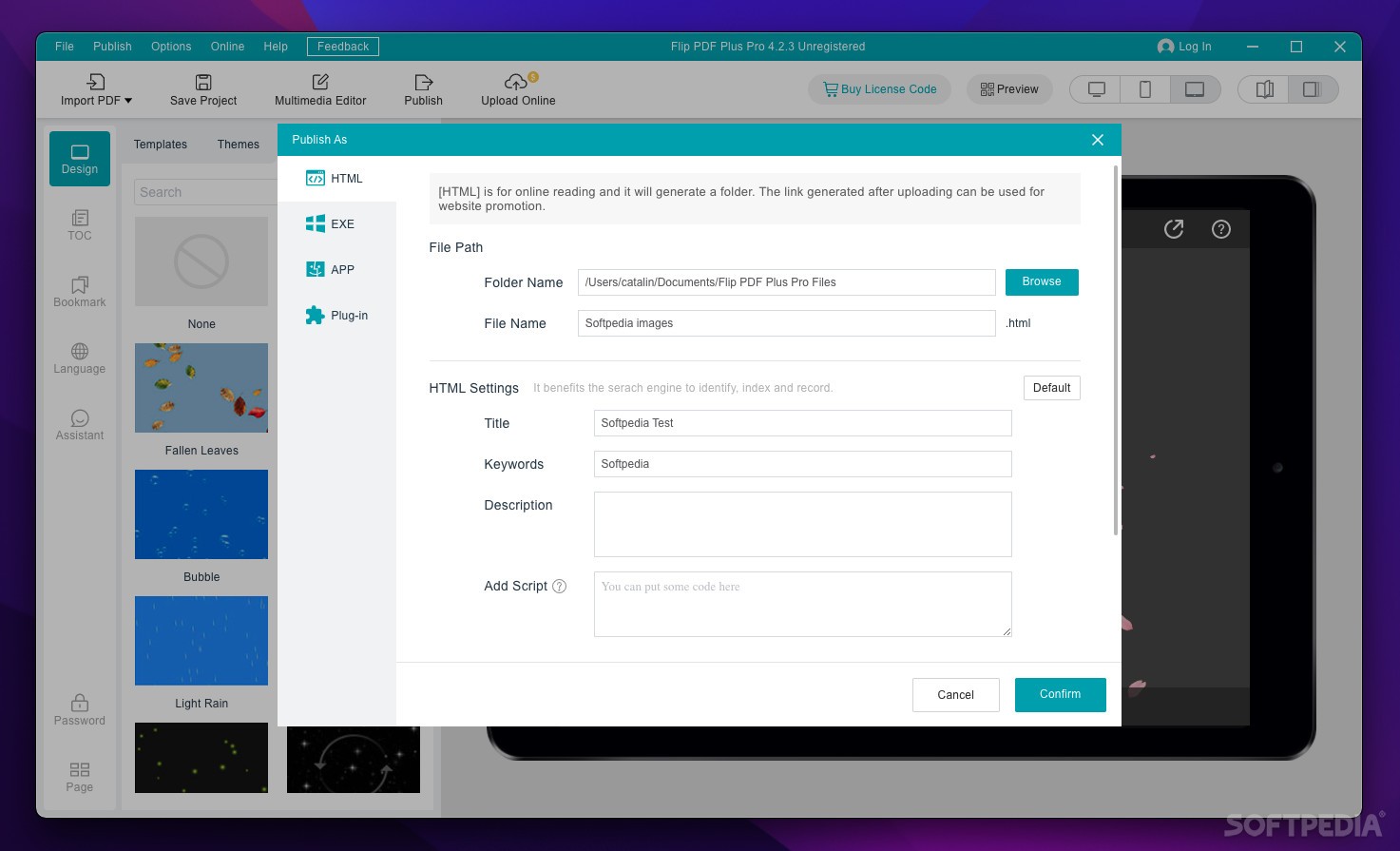
· Output HTML, APP, iPhone, iPad, Android version - No matter you want to view your created page-flipping eBooks online or offline, Flip PDF for Mac provides you three output formats options: *.html , *.app and Mobile Version. The HTML allows you to upload to a website to be viewed online, and App (Mac Application) is executable application can be run on Mac, Mobile version is to output HTML flipbook which can be viewed on mobile devices via Browsers (support slide single pages on mobiles).
· One-time fee, unlimited conversion - Once you have purchased the software, you can use the program to convert an unlimited number of PDF files to any number of page-flipping eBooks. No subscription fee, no conversion fee, not limited to a single website.
Easy Import:
· Convert PDF to Adobe© Flash® based page-flipping eBooks.
· Define quality and size for page-flipping eBooks..
· Import bookmarks (outline) with PDF.
· You can also import hyperlinks with PDF, include page links, web links and email links.
Output to different formats: HTML, Mac App and Mobile Version:
· HTML allows you to upload to a website to be viewed online (with title defined).
· App (Mac Application) is executable application can be run on Mac.
· Mobile version is to output HTML flipbook which can be viewed on mobile devices via Browsers (support slide single pages on mobiles).
Customize on Pre-designed Templates:
· Apply a pre-designed template.
· Preview the output effect instantly.
· Add HTML Title in Float template which can be clicked to visit webpage online.
· Add Image or Flash logo to insert before Book Title in Float template.
· Define book proportions, margin size, shadow manually.
· Set background color and image.
· Insert background music either for continuous play (loop) or for a set duration.
· Set eBook reading from right to left (for Right-to-Left languages such as Arabic).
· Choose hard cover for eBooks.
· Set fonts for Flash and Toolbar buttons.
· Enable to export and import themes of your designed to use later.
Provide Multiple Control Tools:
· Define the language for your published page-flipping eBook, multi-language switchable.
· Edit pages with embedding links, images, movies, flash, sound or You Tube video files.
· Add Button on pages to open link page, call Javascript action, play Flash/Video in pop-up Window.
· Copy projects from one page to another or all the other pages.
· Add Google Analytics Support.
· Set colors and position (Top/Bottom) for toolbar.
· Set permissions for downloading, printing, social sharing, Home button and more.
· Add watermark image or SWF to show on print out pages.
· Add Help config to manually define content with using Image or SWF.
· Set Page Number Box to show at top or bottom in Float, set start page number.
· Add Minime Style to show page-flipping eBooks without toolbar.
· Export and save settings for future uses.
With the page-flipping ebook you have created, your user will be able to:
· Drag the corner to flip a page.
· Click page shadows to flip a page.
· Use mouse wheel to flip pages.
· View with pre-loading needed pages to open quickly, do not need to wait all pages loaded.
· Use button to control page, such as Previous, Next, First, Last etc.
· Flip pages automatically.
· View flipbook repeatedly.
· View page-flipping ebook full screen.
· Use thumbnail to navigate.
· Print out the whole ebook or a range of pages directly.
· Download the uploaded page-flipping eBook from web site directly.
· Double-click to zoom in or zoom out.
· Zoom in/ out both pages.
· Manually control zoom in scale in Float template.
· Share eBook URL via email, Facebook, Twitter, Google, Yahoo, etc.
· Turn page-turning sound on/off.
· Open in the Browser to a specific page by adding a page index to your URL. E.G. www.yourdomain.com/index.html?pageIndex=4.
· Always show in Minime Style with adding a parameter to URL. E.G. www.yourdomain.com/index.html?alwaysMinimeStyle=true.
· View page-flipping eBooks on Mac or PC devices.
Limitations:
· Adds a watermark into the output flash flip book(s).
What's New in This Release: [ read full changelog ]
· Apply multiple templates;
· Save and Load your project;
· Add password to protect your page flipping book;
· Better quality for converting PDF to SWF.