
A powerful yet easy to use Mac OS X application designed to help you monitor all your projects and tasks via a single, well organized page.. #Monitor project #Track project #One page report #Monitor #Tracker #Project
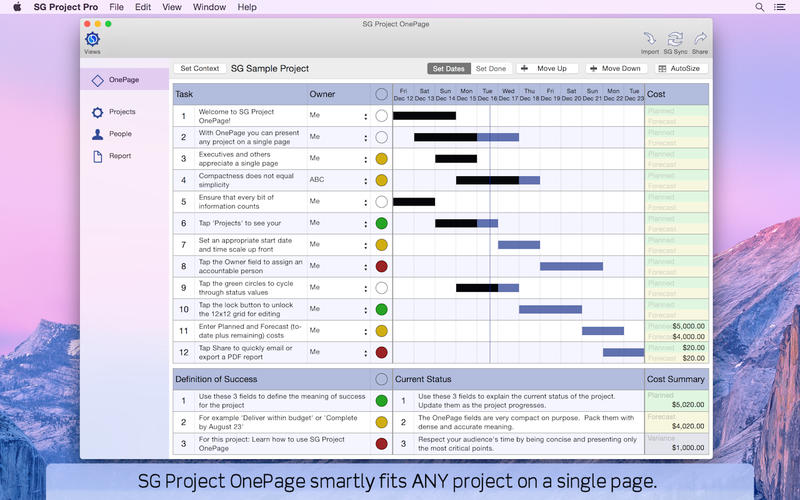
Being able to monitor and track the development of your projects in a clear, to the point manner can make the difference between failure and success. SG Project OnePage is a great application that helps you keep organized records and allows you to view them in a single window.
The app is using the 12-by12 project management technique and the advantage is the fact that you are forced to focus on the important tasks while also having all the small details on sight.
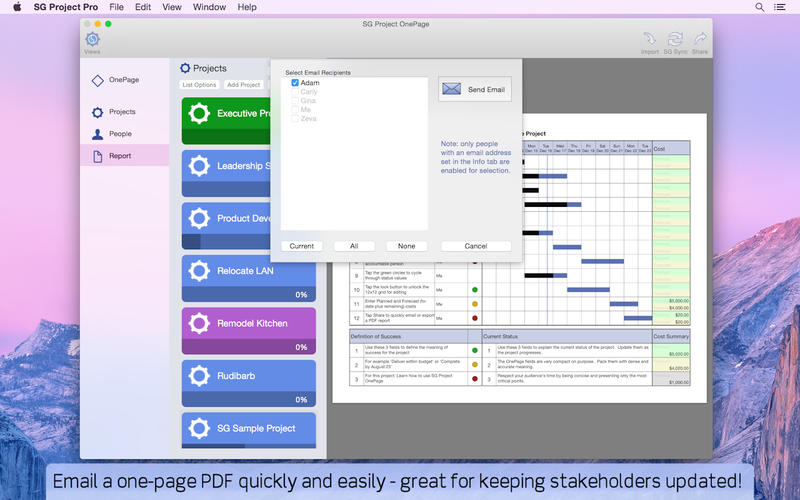
Moreover, you are able to share the plans with others via the SG Sync feature, but take into account that you must enable it beforehand via an in-app purchase.
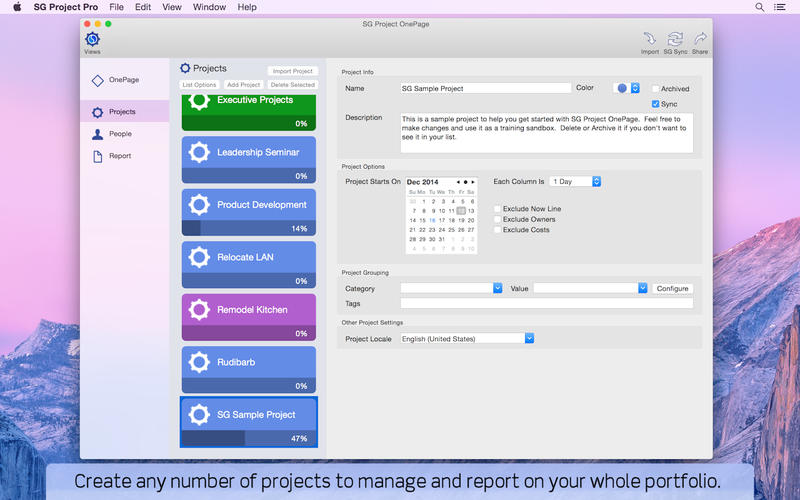
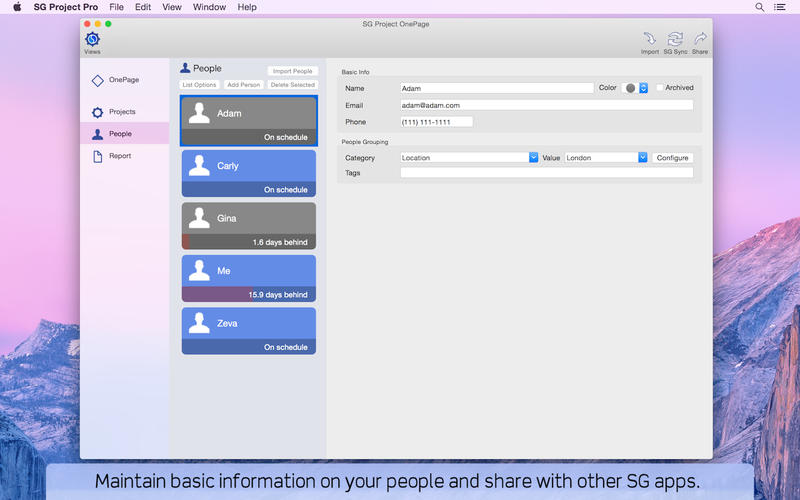
The SG Project OnePage main window is very well organized and you will find your way around soon enough: the left side panel contains the list of all your projects, the center area allows you to visualize the tasks associated to the currently selected project, while the right side panel comprises a list of the people involved in the project.
The top window toolbar includes buttons for basic functions: import, move up / down, auto size, change the view mode and export.
When you start organizing you projects you must make sure that you create no more than 12 tasks that will be accomplished in no more than 12 time periods. You can use different measurement units for the time span: minutes, hours, days, weeks, months, quarters and years. This way you can deal with both short term projects and longer business plans.
You must also describe your project by specifying no more than 3 goals and then you can write down up to 3 statements that should comprise its current status. This way, whoever is taking a look on your plan will understand what is happening immediately.
To sum up, SG Project OnePage is a great tool if you are looking to create concise plans for your projects and easily monitor their development.
What's new in SG Project OnePage 5.15:
- Updated for latest MacOS
SG Project OnePage 5.15
add to watchlist add to download basket send us an update REPORT- runs on:
- macOS 10.13 or later (Intel only)
- file size:
- 7 MB
- main category:
- Business
- developer:
- visit homepage
Context Menu Manager

calibre

ShareX

Zoom Client

7-Zip

4k Video Downloader

Windows Sandbox Launcher

Bitdefender Antivirus Free

IrfanView

Microsoft Teams

- Bitdefender Antivirus Free
- IrfanView
- Microsoft Teams
- Context Menu Manager
- calibre
- ShareX
- Zoom Client
- 7-Zip
- 4k Video Downloader
- Windows Sandbox Launcher