
OS X utility created to enable its users to swiftly and effortlessly listen to their music without having to deal with any audio player. #Spotify controller #Switch track #Rdio controller #Search #Listen #Music
Listening to music while you complete your daily tasks is a great idea because it can keep you both focused or relaxed, depending on what you are working on. However, dealing with the large user interfaces featured by different media players or having to deal with online web players via your browser can disrupt your workflow.
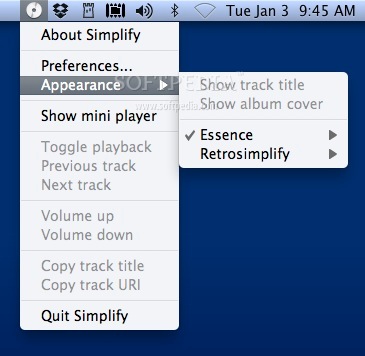
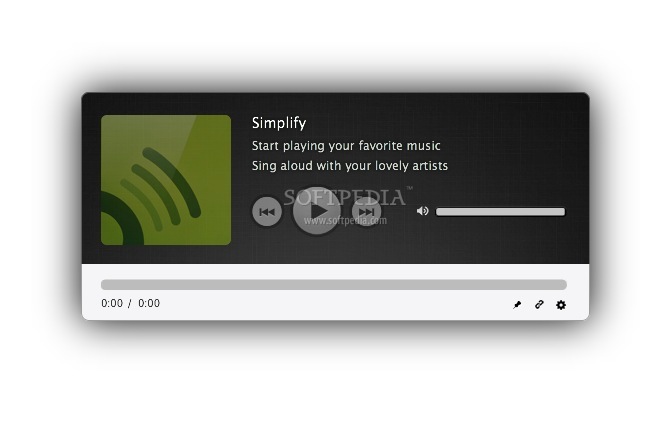
Simplify is a small Mac utility designed to help you interact with and control your music in a more intuitive and unobtrusive manner. The app places a menu in your status bar, provides a widget for your desktop and a mini player window that can be summoned via a hotkey.
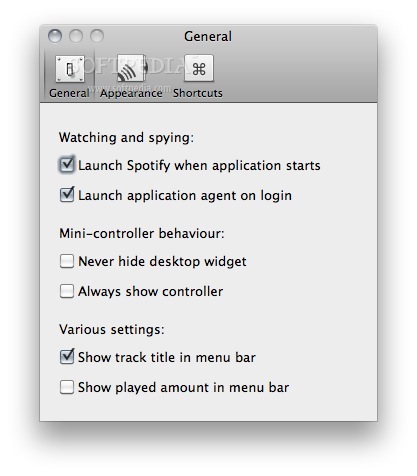
In fact, most of the Simplify capabilities can be triggered by keyboard shortcuts. Open the Preferences window and navigate to the Shortcuts panel to create your own combinations for toggling the mini controller or the playback, for playing the next or previous track, for rewinding or fast-forwarding the song and for increasing or decreasing the volume level.
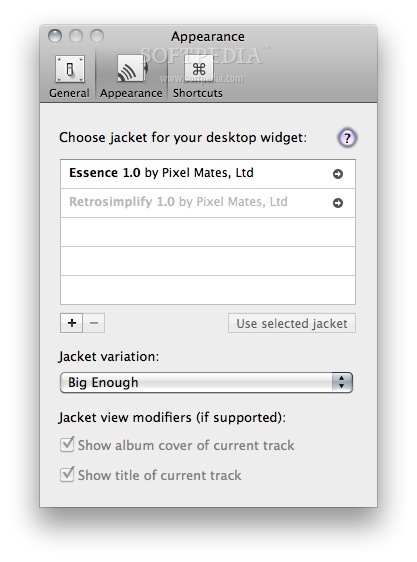
Simplify will also place a widget on your desktop that will display the name of the current track and the album cover (if available). Via the Simplify status bar menu you can select the widget theme you want to use.
Feel free to explore the entire themes collection since each one has a unique design. You can create your own designs for the desktop widgets by using JavaScript, HTML or CSS.
Simplify is able to work with popular media playing applications such as iTunes, Spotify or Rdio. You can install web browser extension for Safari and Google Chrome to be able to control web music services such as Deezer, Pandora and Vkontakte.
All things considered, if you are looking for a customizable music controller that stays out of your way most of the time but is also easily accessible, Simplify has what it takes to get the job done.
What's new in Simplify 3.4:
- Fixed support of web-based players, so Pandora, Deezer, VK, and others get back into the game!
- Fixed Spotify artworks. You'll see!
- Some other under the hood improvements and fixes.
Simplify 3.4
add to watchlist add to download basket send us an update REPORT- runs on:
- OS X 10.8 or later (Intel only)
- file size:
- 3.8 MB

- main category:
- Audio
- developer:
- visit homepage
IrfanView

Zoom Client

Windows Sandbox Launcher

calibre

Microsoft Teams

paint.net

ShareX

4k Video Downloader

Bitdefender Antivirus Free

7-Zip

- 4k Video Downloader
- Bitdefender Antivirus Free
- 7-Zip
- IrfanView
- Zoom Client
- Windows Sandbox Launcher
- calibre
- Microsoft Teams
- paint.net
- ShareX