
Powerful and user-friendly macOS app that will help you send any audio to one or more output devices in sync, and even to any other local Mac. #Stream audio #Audio streamer #Remote speaker #Streamer #Stream #Remote
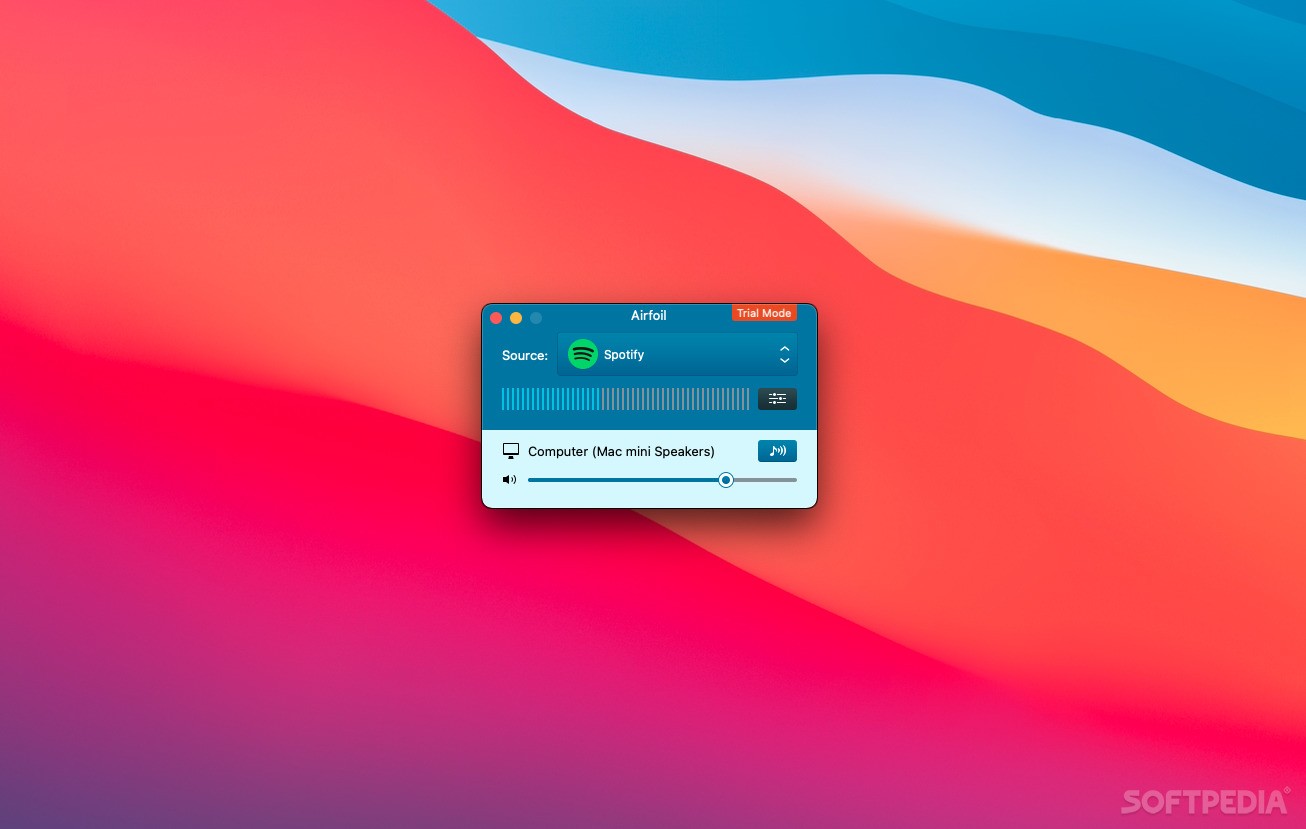
Airfoil is a light and intuitive macOS application designed from the ground up to help you send audio from your Mac to a wide range of speakers and devices.
Thanks to Airfoil, you can stream sound from music sharing services Spotify and Pandora, as well as any other audio source on your Mac, to various devices, from your home.
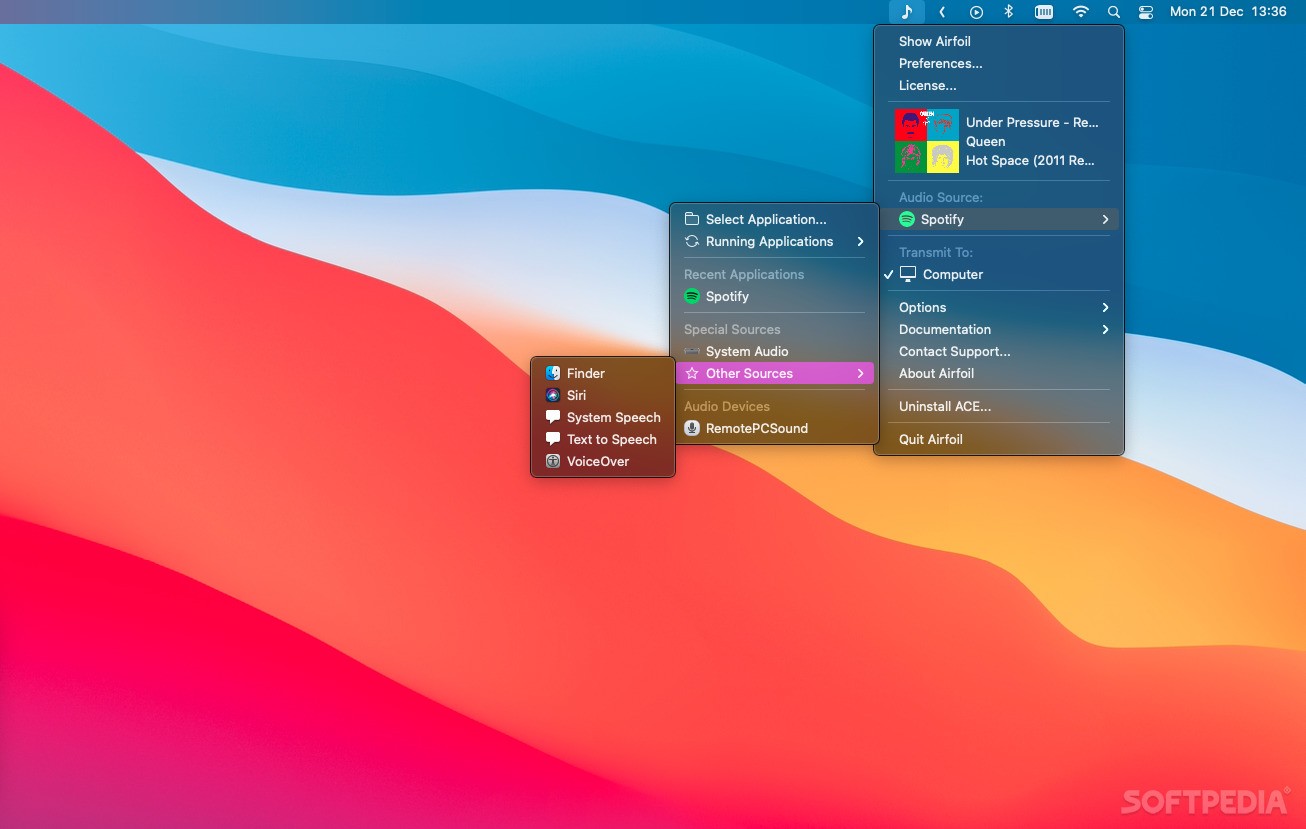
Airfoil is designed to live in your Mac’s status bar from where you can access its menu, select the audio source, as well as the targeted device and open the Preferences window. What is more, you can configure Airfoil to reside only in the menu bar and remove the Dock icon.
Airfoil works very well with its companion app, Airfoil Satellite, that enables you to easily control the app from anywhere in your home with the help of a mobile device or another Mac or Windows PC.
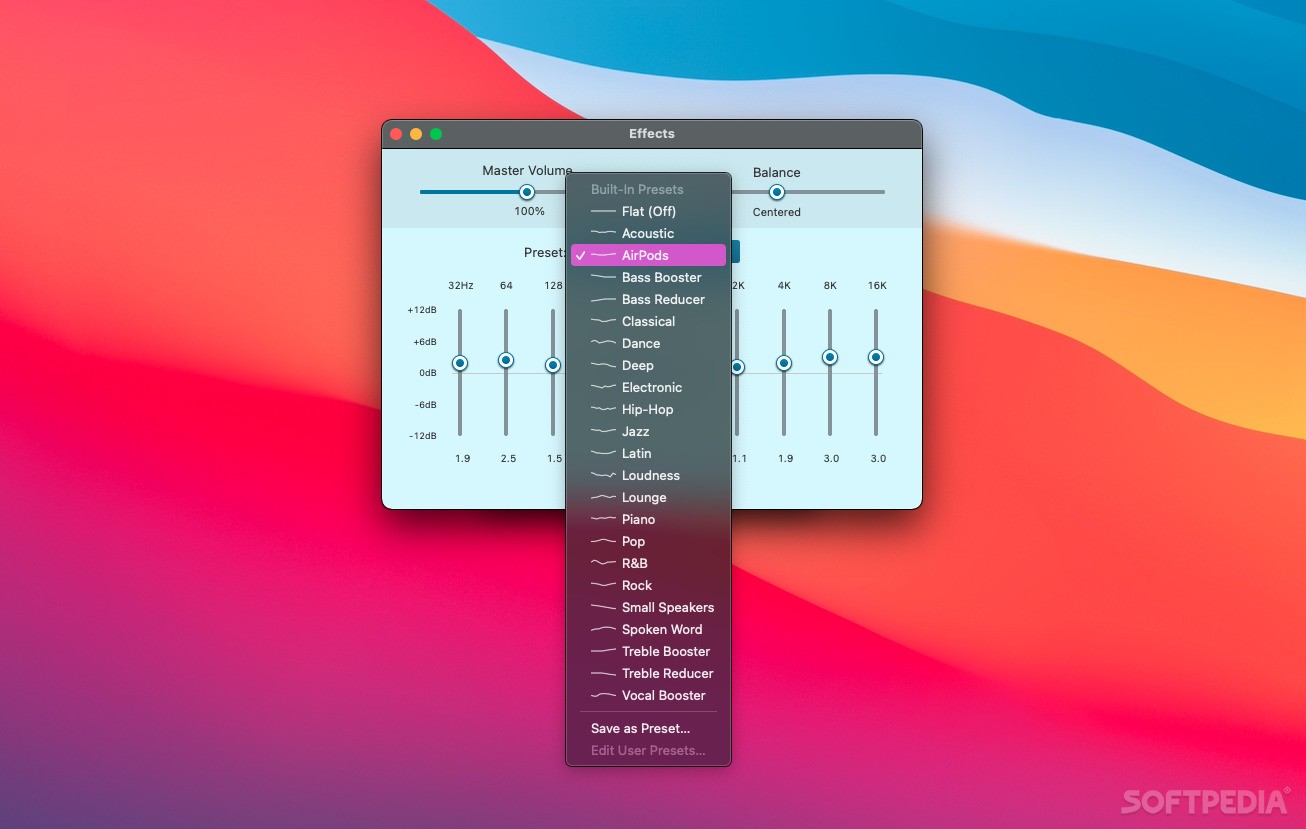
Another worth mentioning feature is that from Airfoil’s main window, you can easily select the audio source, along with the receiving device, monitor and adjust the sound level and access the built-in sound equalizer. Consequently, you can add volume gain, change the sound balance and use different EQ presets.
Airfoil also comes with Airfoil Satellite, the secondary application that you need to install on the Macs you want to stream the sound to. Airfoil Satellite is capable to initiate connections back to Airfoil and start receiving sound remotely. You can even use it as a remote control to change the audio source and change the currently playing track.
Airfoil 5.11.7
add to watchlist add to download basket send us an update REPORT- runs on:
- macOS 11.0 or later (Universal Binary)
- file size:
- 45.1 MB
- main category:
- Audio
- developer:
- visit homepage
Bitdefender Antivirus Free

Context Menu Manager

Microsoft Teams

7-Zip

calibre

4k Video Downloader

ShareX

IrfanView

Windows Sandbox Launcher

Zoom Client

- IrfanView
- Windows Sandbox Launcher
- Zoom Client
- Bitdefender Antivirus Free
- Context Menu Manager
- Microsoft Teams
- 7-Zip
- calibre
- 4k Video Downloader
- ShareX